Chapter 2. 2-5
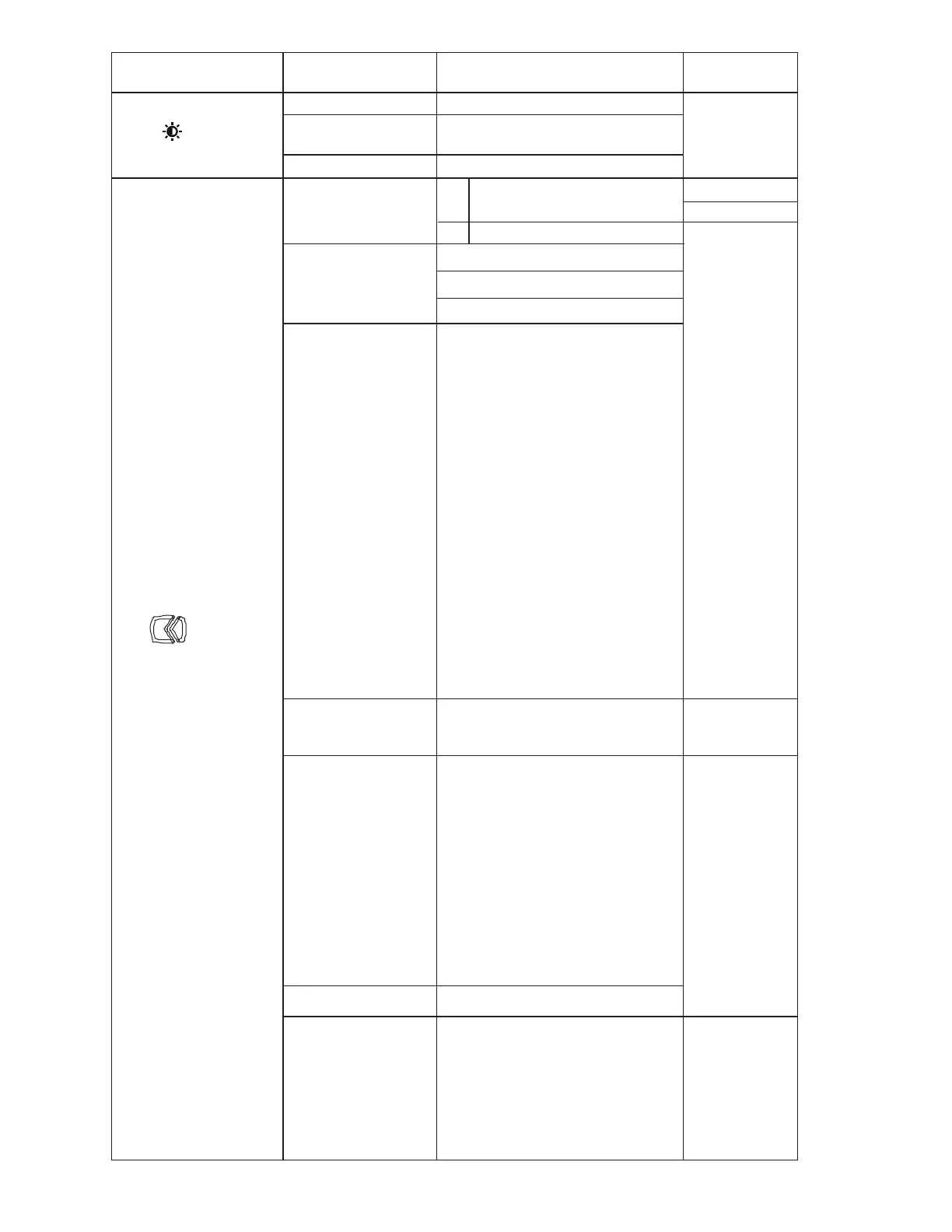
Table 2-1. OSD functions
OSD Icon on Main Menu Submenu Description
Controls and
Adjustments
Adjusts overall screen brightness.
Adjusts difference between light
and dark areas.
Color Mode
Image Setup
• Clock
• Phase
• Horizontal Position
• Vertical Position
Advanced Settings
Dynamic Contrast
On
Off
Off
Normal
Extreme
Adjusts intensity of red,green,
and blue.
Preset mode
Custom
Red: Increases or decreases
the saturation of Red in the
image.
Green: Increases or decreases
the saturation of Green in the
image.
Blue: Increases or decreases
the saturation of Blue in the
image.
• Neutral
• sRGB
• Reddish
• Bluish
• Low Blue Light
•
•
•
•
•
Button Repeat Rate
Automatic
Brightness
Contrast
Volume
Monitor Controls
Adjust the volume
Automatically adjust
Adjust image location
• Default
• Off
• Slow
Button response speed
Menu display time
Sets the duration that OSD displays
when no action is performed.
Change the button repeat speed
and menu display time Settings.
Aspect Ratio
Full Screen
Original AR
Power Usage(Change this setting
will increase power usage)
CHANGE
CANCEL
Over Drive






 To Next Page