34
Appendix A. CRU instructions
Supplied with an optical disk drive Or a removable battery
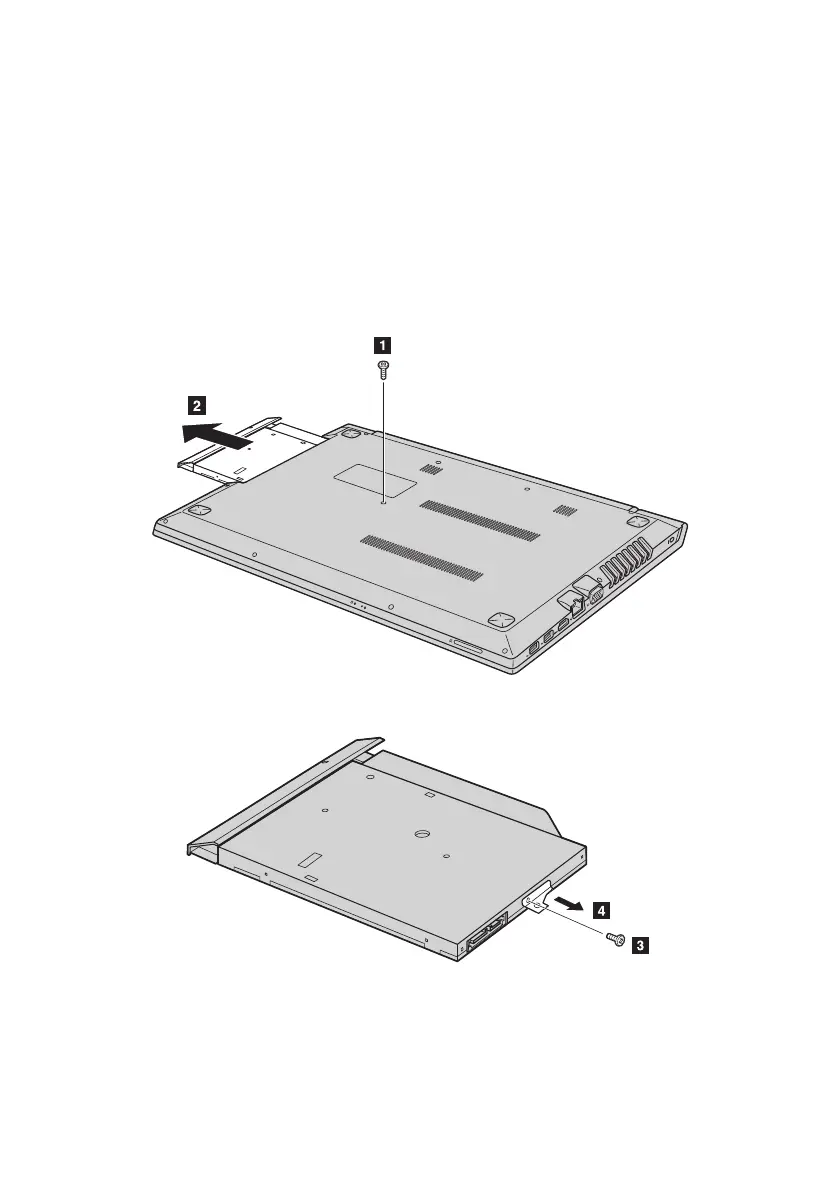
To remove the removable module, do the following:
1 Turn off the computer. Disconnect the AC power adapter and all cables from the computer.
2 Close the computer display, and then turn the computer over.
3 Remove the screw shown in the illustration
.
4 Gently pull the removable module out
b
.
5 Remove the screw
, then remove the removable module bracket in the direction shown
by arrow
.





 To Next Page