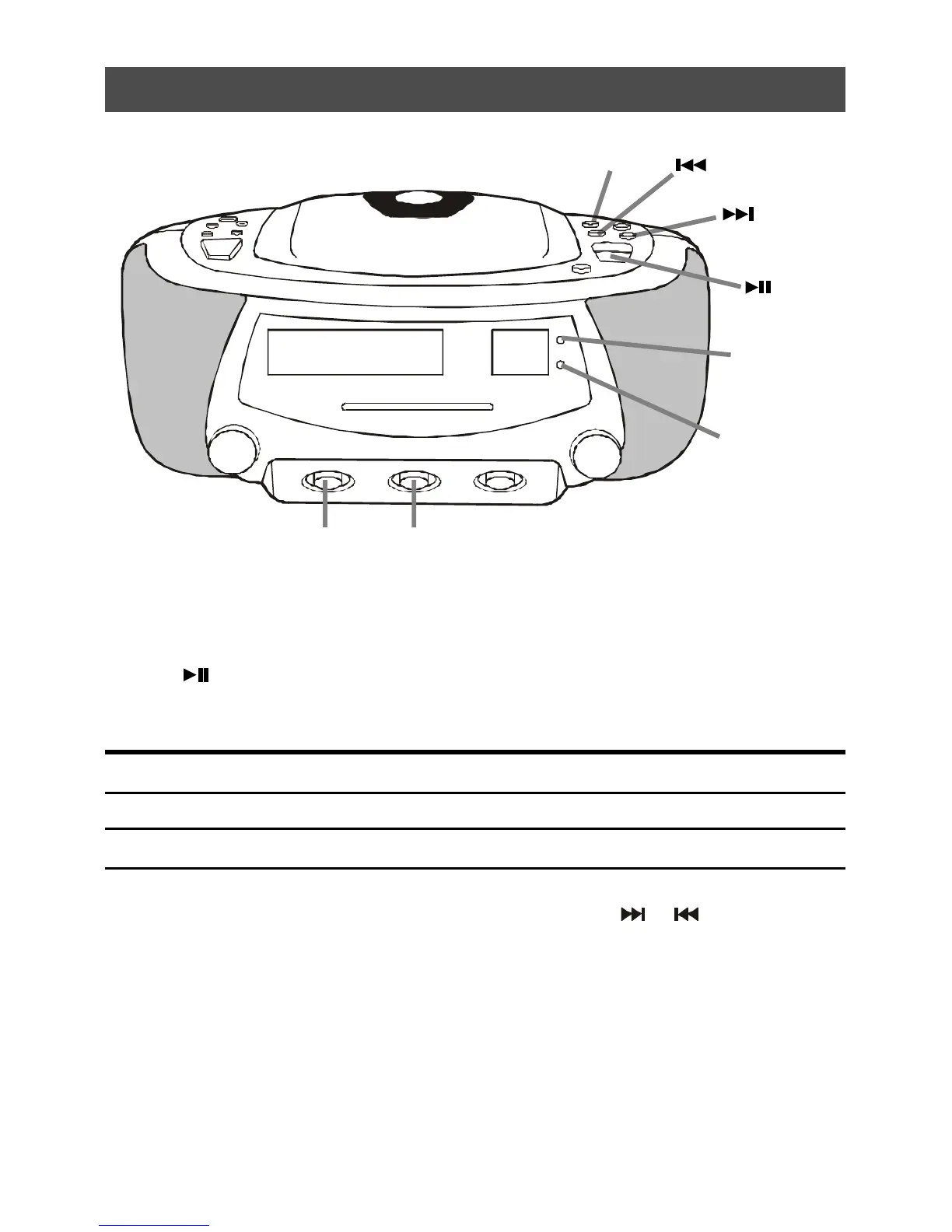
4. Playing CD tracks repeatedly (Repeat Play)
To repeat Press (during play)
a single track (song) Press the Prog/Repeat Button once
all the tracks (all songs) Press the Prog/Repeat Button twice
1. Slide the Function Switch to CD position, and the Mode Switch to ON position.
2. Press (Play Button).
3. Press the CD Prog/Repeat Button.
To cancel Repeat Play
Press the Prog/Repeat Button until the Repeat Lamp is off.
4. You may select the individual track to repeat by pressing
or
.
Program/
Repeat Button
Function
Switch
Repeat Lamp
Steady on
Flashing
Play/Program
Lamp
Repeat
Lamp
Mode
Switch



 To Next Page