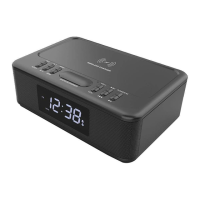
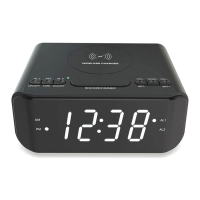
7. To playback one of the saved pre-set stations, press the ⑧ MEM- or ⑨ MEM+ buttons to change
between the saved stations.
8. Press and hold button③④ at same time to clear all saved stations.
Radio stations are unable to be manually saved into desired position numbers.
AUX-in mode
1. Put the clock radio into AUX mode.
2. Connect an AUX-in lead (not included) into the AUX/ANT port on the rear of the unit.
3. Connect the other and of the AUX-in lead into the earphone socket of your device (e.g.: phone/tablet).
4. Begin music playback on your device.
Clock / alarm mode
TO VIEW THE TIME AND DATE:
1. When plugged into AC power, HI will be shown on the clocks display, then it will show the clock time
on display.
2. Press button ② to change between 12H or 24H clock.
3. Press button ⑫ SET, the clocks display will show the year.
Press button ⑫ SET again, the clocks display will show the month and the date.
Press button ⑫ SET again, the clocks display will show the time.
This action will be circulated when button ⑫ SET is pressed continuously.
If nothing is pressed for 10 seconds, the time will be shown on the display.
TO SET THE TIME AND DATE:
1. Press button ② to change between 12H or 24H clock.
2. Press and hold button ⑫ SET for 2 seconds then release the button.
The hour number will be flashing, press buttons ③ or ④ to change the hour; press
button ⑫ SET again, the number of the minutes will be flashing, press buttons ③ or ④
to change the minutes;
Press button ⑫ SET again, the number of the year will be flashing, press buttons ③ or ④
to change the year;
Press button ⑫ SET again, the number of the month will be flashing, press buttons ③ or ④
to change the number of the month;
Press button ⑫ SET again, the number of the day will be flashing, press buttons ③ or ④
to change the number of the day;
When done, press ⑫ SET again, to show the time on the clocks display.


 To Next Page
 Loading...