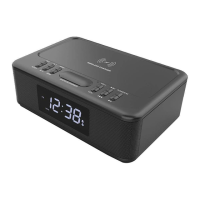
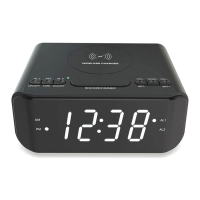
TO SET AN ALARM:
1. ALARM 1: when the unit is in clock mode, press and hold button ⑪ AL1.
The unit must be in clock mode to set an alarm.
The default alarm type is buzzer, and the word BUZZ will be flashing on the display screen.
2. When the word BUZZ is flashing on the screen, press buttons ③ or ④ to change
between buzzer or FM radio (FM is shown on the display screen);
Press button ⑪ AL1, the hour for the alarm time will be flashing on the screen, press buttons ③
or ④ to change the hour for the alarm time;
Press button ⑪ AL1, the minutes for the alarm time will be flashing on the screen, press buttons ③
or ④ to change the minutes for the alarm time;
Press button ⑪ AL1, the alarm volume level will be shown on the screen, press buttons ③ or
④ to change the volume level for the alarm;
Press button ⑪ AL1, you can set the alarm to sound on either: Monday to Friday, Saturday to
Sunday, Monday to Sunday. Press buttons ③ or ④ to change between the options.
Then press button ⑪ AL1 to save your selections.
3. To ensure the alarm will sound, press button ⑪ AL1 and ensure the alarm 1 icon is shown on the
display screen.
4. To turn an alarm off so that it will not sound, press button ⑪ AL1 twice and ensure the alarm 1 icon
is not shown on the display screen.
ALARM 2: same set up as Alarm1, just use button ⑩ AL2 in place of the AL1 button.
Alarm snooze / sleep mode
1. Alarm time duration is 30 minutes.
2. When the alarm has sounded, press button ⑦ SNOOZE/DIMMER to use the snooze function.
3. To turn off the alarm once it has sounded, press button ① POWER/M.
4. To use SLEEP MODE:
When the unit is playing back music from either the FM radio mode, Bluetooth mode or Aux-in mode
press button SLEEP.
Press the sleep button repeatedly to change between the sleep times shown on the screen: 15 / 30 /
45 / 60 / 90 / 120 / OFF minutes.
The word OFF means that no sleep time will be set.
When your chosen sleep time is showing on the screen, after a few seconds the normal time display
will be shown. Your music will play back for the sleep time, and then the unit will go back into clock
mode.


 To Next Page
 Loading...