4 5
ADD FEEDER
APP LOG-IN
NOTES
• One feeder can only bind to one account.
• If you need to bind to other account, delete the bound feeder on your phone first, then long press
“SET” button on the feeder until you hear the “ding dong” sound to restore the factory settings,
then log in the other account.
• You could log in your account on multiple phones.
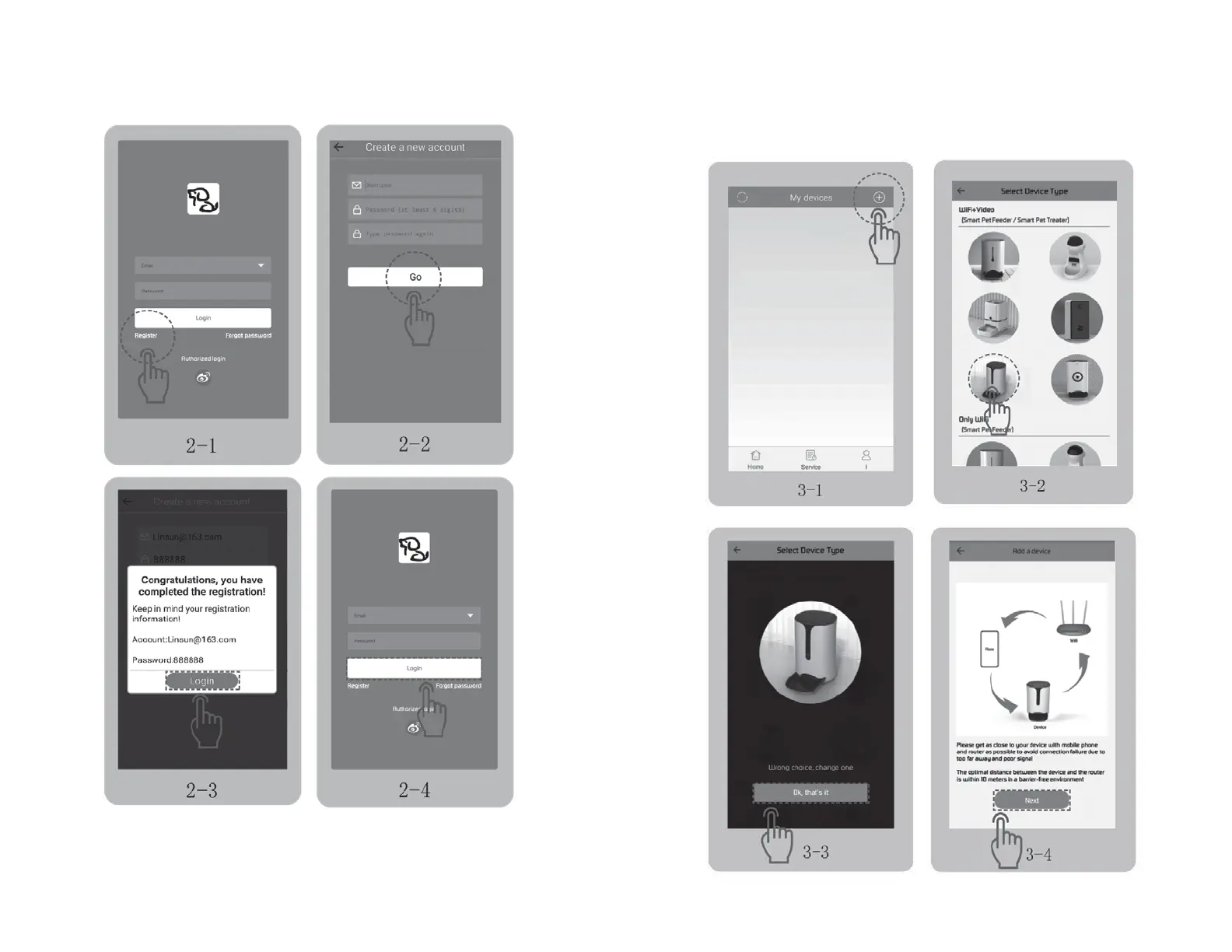
• Open the “PetU” APP, tap “Register” to sign up an account with your email, then log in.
Fig 2-1 → Fig 2-2 → Fig 2-3 → Fig 2-4.
• Open the APP, log in with your email, tap “+” to add the feeder. Fig 3-1.
• Select the V86 on “WiFi+Video” column. Fig 3-2 → Fig 3-3 → Fig 3-4.


 To Next Page