8 9
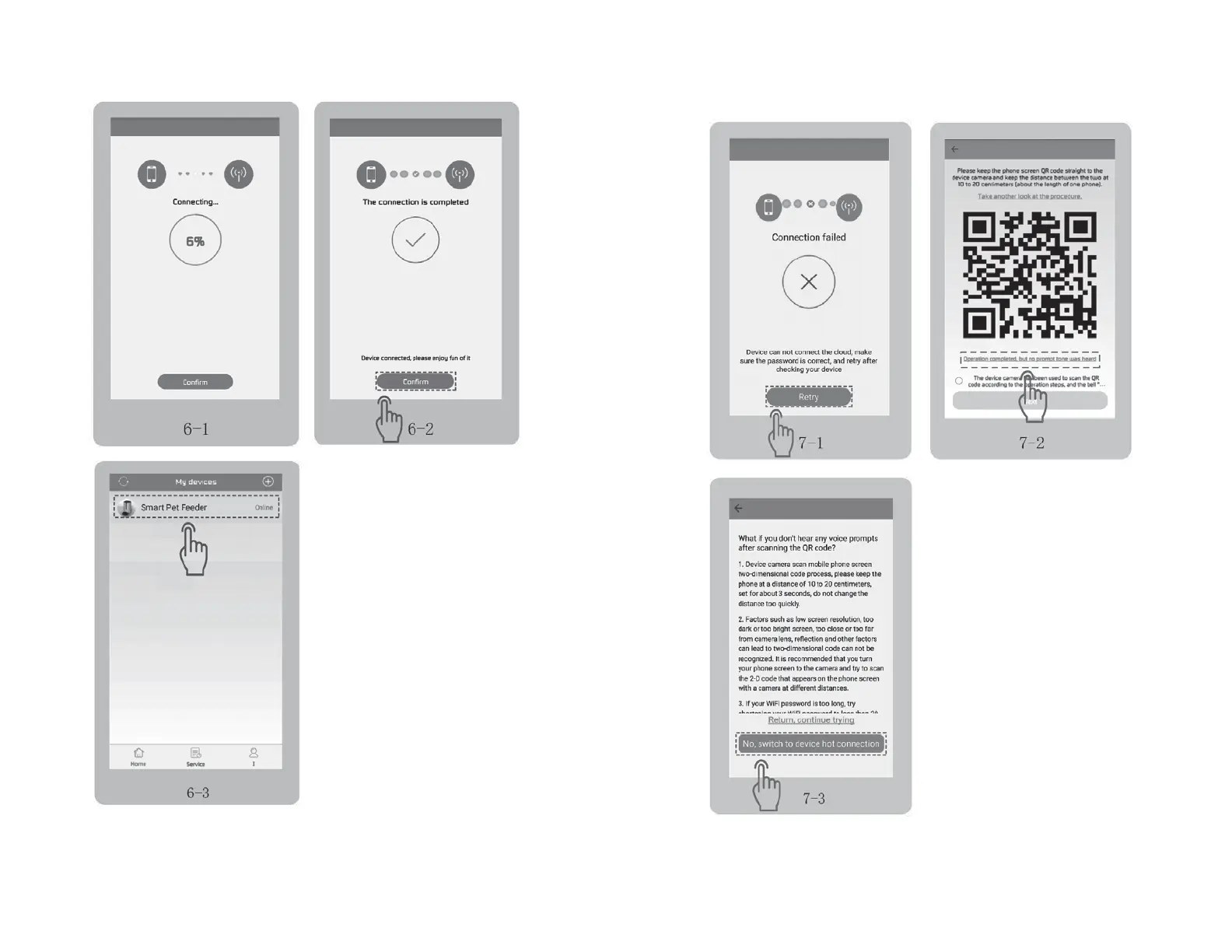
• When your phone is connecting to
the feeder (green light flashes fast),
it may take different time in different
network environments, usually within
1 minute. Fig 6-1.
• When the progress bar reaches 100%,
tap “Confirm” to accept connection
to the feeder. Fig 6-2 → Fig 6-3.
NOTE
If the connection fails, follow
the next steps and retry.
1. In the QR code scanning part, tap on
“Operation completed, but no prompt
tone was heard”. Fig 7-2.
2. Tap on “No, switch to device
hot connection”. Fig 7-3.
CONNECTING (cont.)
CONNECTION FAILED


 To Next Page