10 11
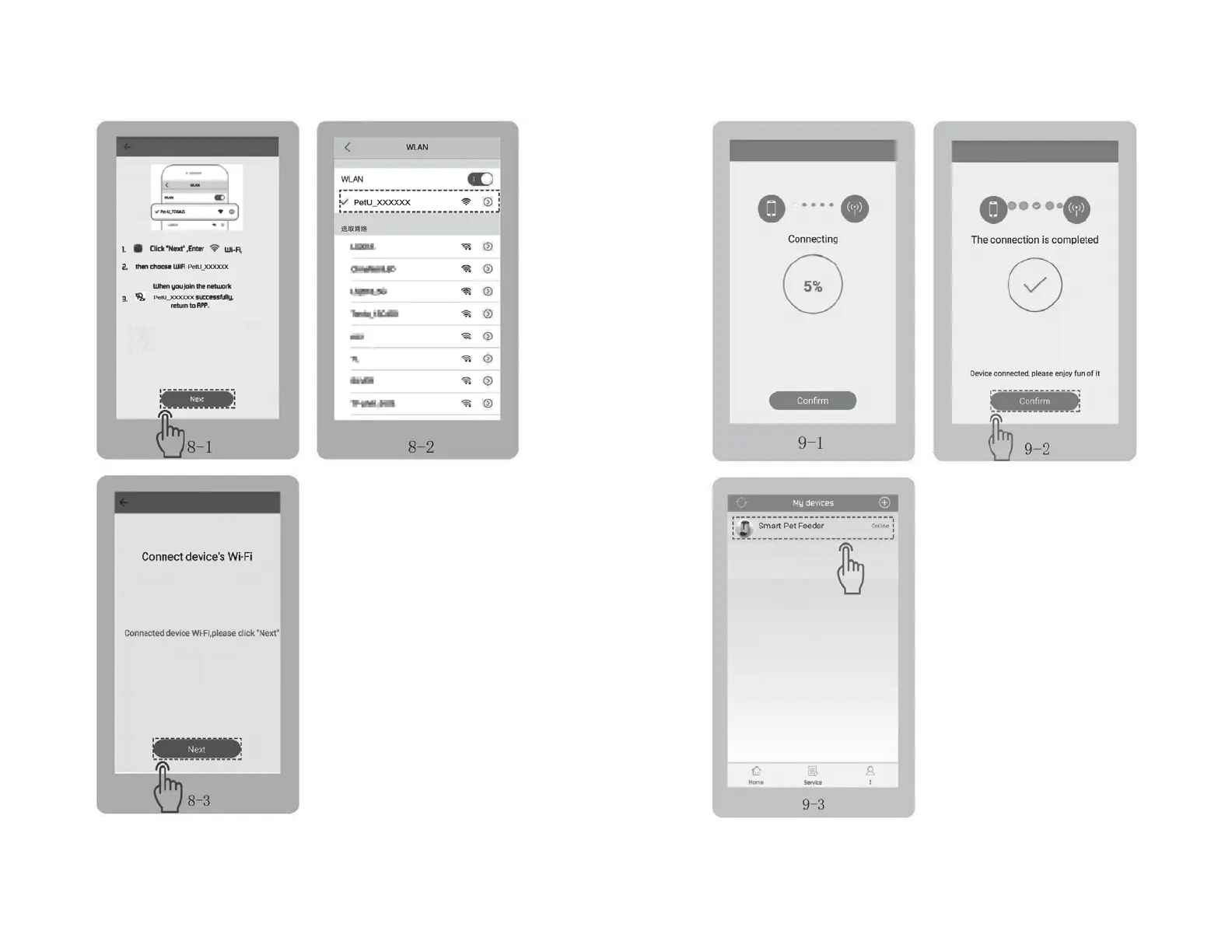
• When the progress bar reaches 100%,
tap “Confirm” to accept connection to
the feeder. Fig 9-2
• Tap “Smart Pet Feeder” to enter
the settings page.
Fig 9-3
NOTE
If the connection fails, refer to
the FAQ section in this manual.
In ‘WLAN’ page in your phone (Fig 8-1),
choose WiFi named “PetU_xxxxxx” and
connect. Fig 8-2 → Fig 8-3
DEVICE HOT CONNECTION
DEVICE HOT CONNECTION (cont.)


 To Next Page