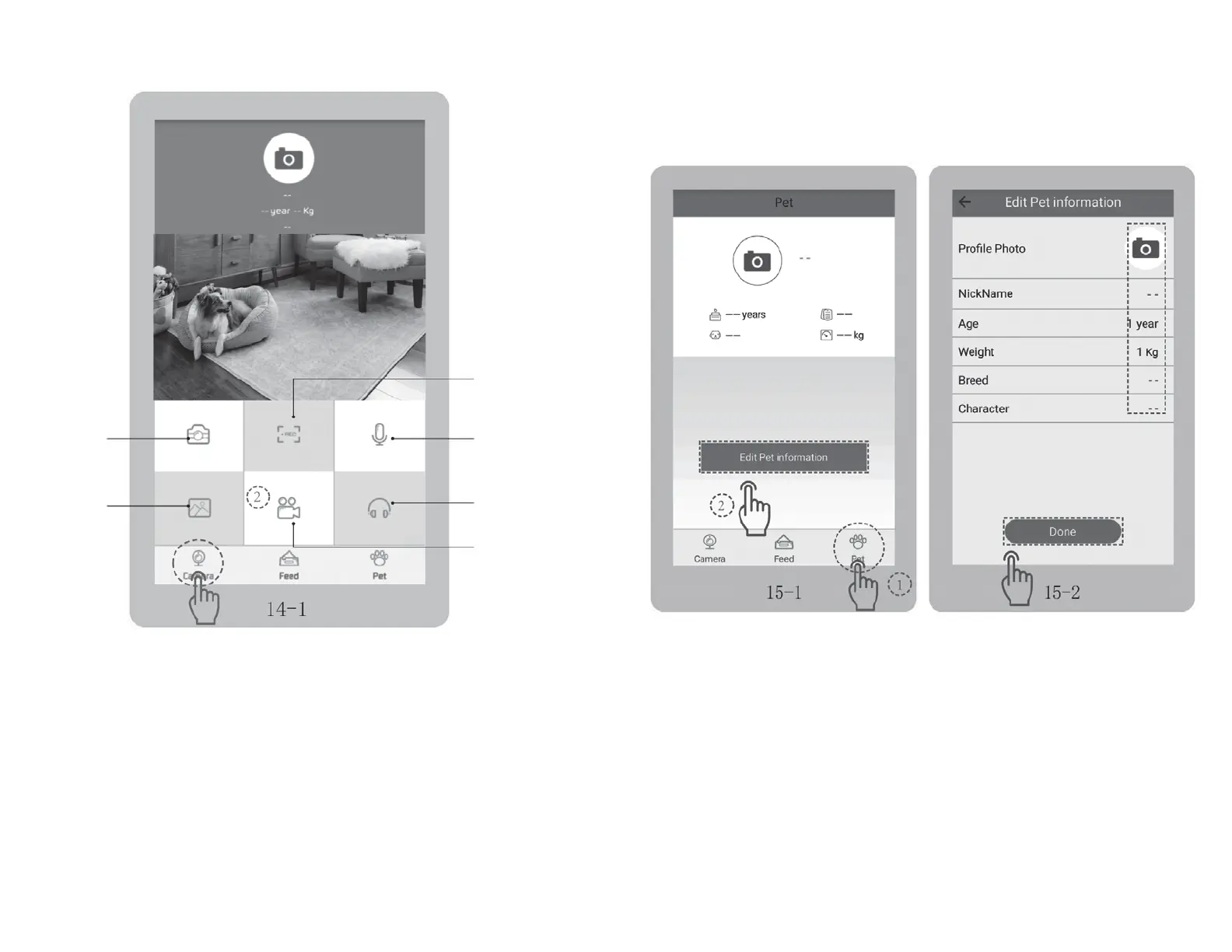
• Camera icon: Tap to take a photo.
• REC icon: Tap to record a video.
• Mic icon: Tap to talk through your phone, the feeder will play your voice to your pet.
• Gallery icon: Tap to check the photos you took.
• Video icon: Tap to check the videos you shoot.
• Headphone icon: Tap to listen to sounds surrounding the feeder and the voice of your pet.
• Tap “Pet” to access to the interface Fig 15-1, and tap “Edit pet information” to edit corresponding
pet information. Fig 15-2
record video
talk to your pet
listen to the sound
video folder
take photo
gallery
16 17
CAMERA FUNCTIONS
EDIT PET INFORMATION


 To Next Page