FOR ASSISTANCE CALL 1 (888) 213-5015 | MON-FRI 8 AM-6 PM EST 3
Step 3
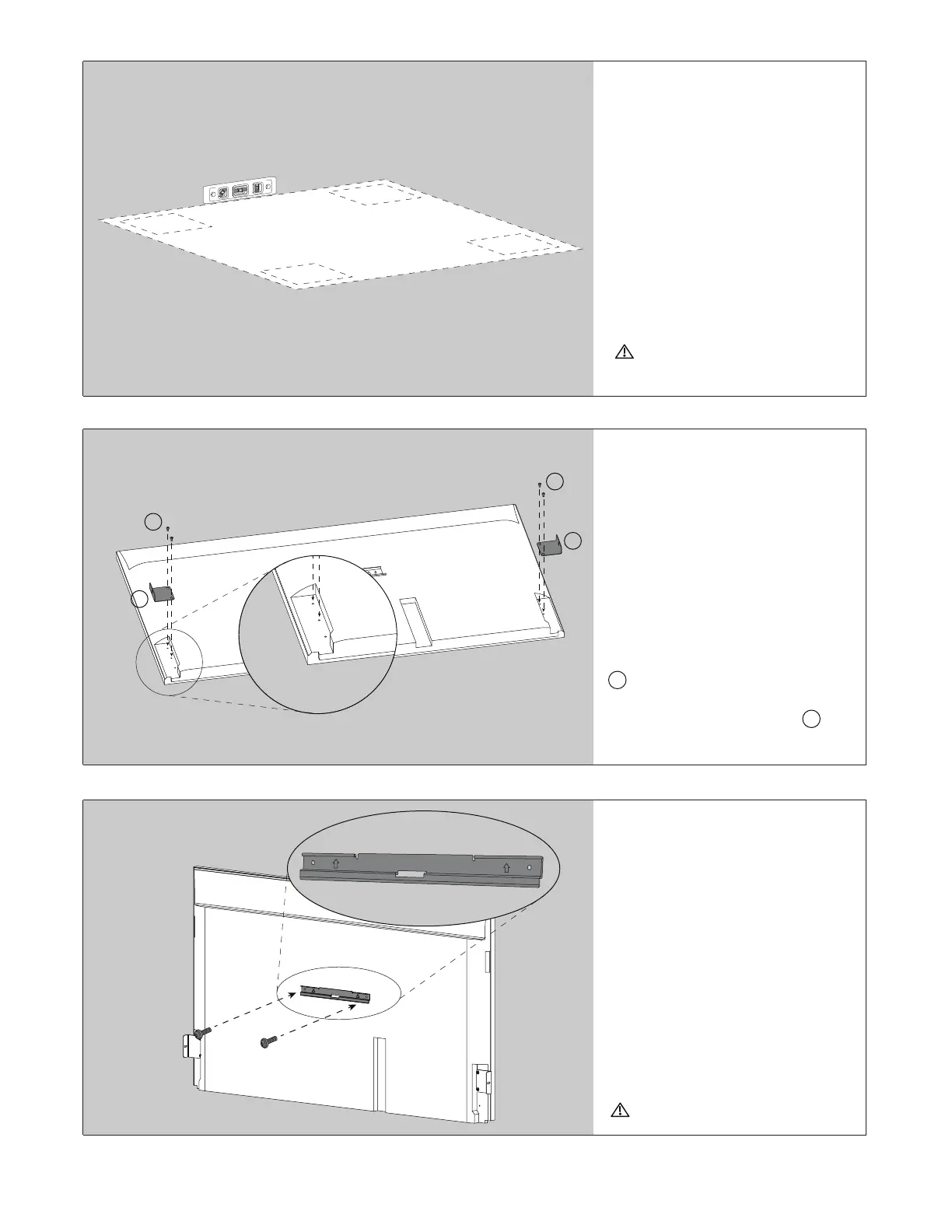
Install Wall Mount
Bracket & Mount TV to
the Wall
Install the wall mount bracket (SU-
WL855 bracket recommended, *not
provided by Leon) and mount TV to
wall. Be sure to follow SU-WL855
bracket installation instructions to
mount your TV.
Brackets can damage the walls
Step 2
Attach Frame Mount
Brackets to TV
Make sure rear plastic panels are
removed from the back of the display.
Attach both Frame Mount Brackets
D to the top 2 threaded holes on
the display backside using the M5
x 10mm Phillips Head Screws F .
Leave loose for future adjustment.
F
F
D
D
Step 1
Prepare Your Working
Area & Unbox the
Frame
Designate a clean, level, non-
abrasive surface free from debris and
large enough to accomodate your
frame assembly.
Open box with care to avoid
damaging frame


 To Next Page