Sliding Gate Motor – User’s Installation Manual
Letron Auto Gate (Australia) Pty. Ltd. Page 10 of 14
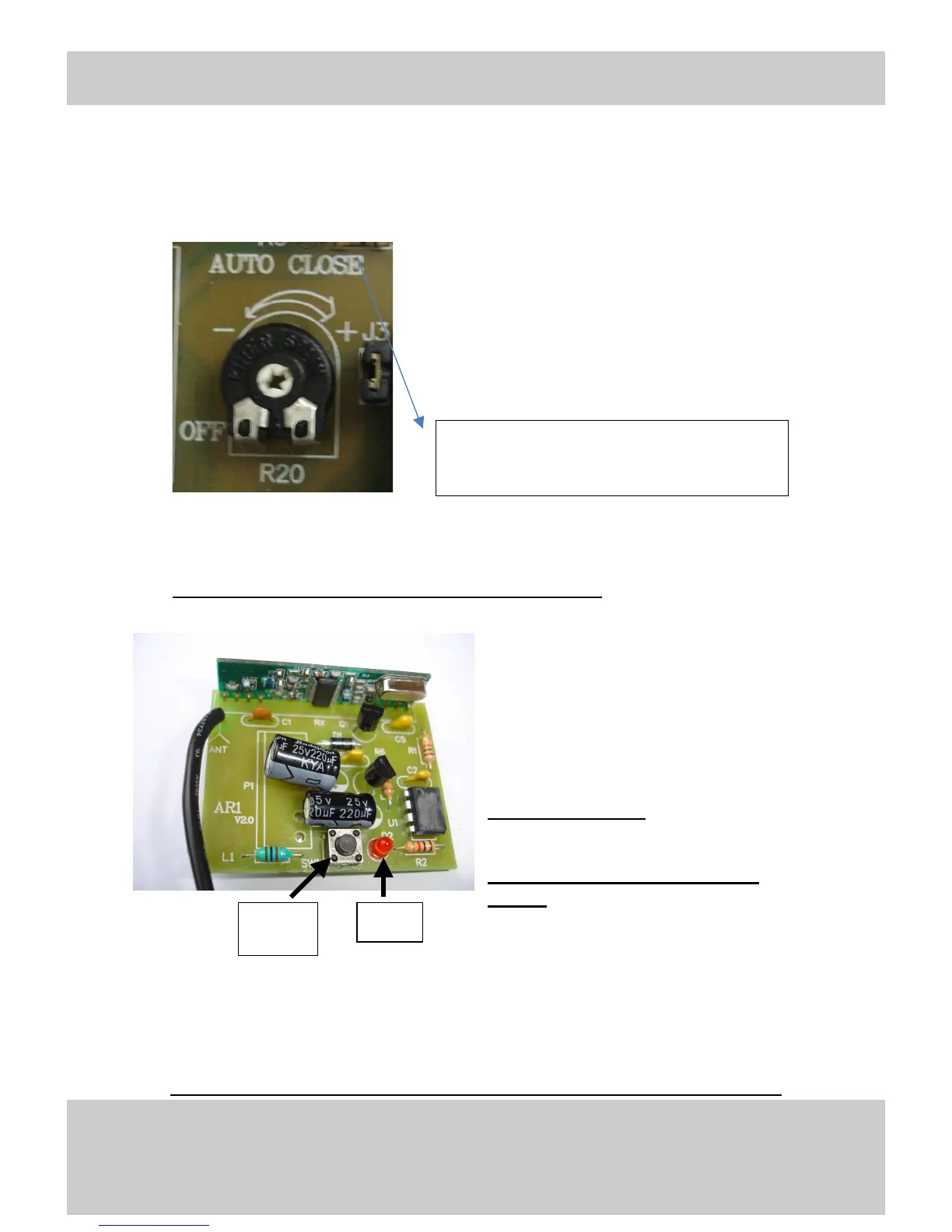
5. Auto Close
Factory default is set to 0 sec. This can be increased up to
approx 60sec by turning the dial clockwise.
When using the auto-close function, it is recommended
that a photoelectric beam (PE Cells) be installed to avoid
accidental damage to property and personal injury.
3. Setting the 12V DC Remote Control Handset
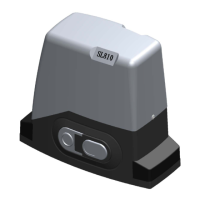
Receiver and REMOTE CONTROL (AR1 Internal)
Hand set programming
Press learn button on the Receiver for 1
second ( LED will light)
Press required button on handset (Remote)
for 1 second
Press learn button on Receiver for 1 second
again ( LED will turn off the light)
Unit is now ready for use
Repeat for all handsets (Remote)
Your unit is now ready for use.
Enjoy!


 To Next Page