Getting to Know Your Watch
Notes:
automatically search and reconnect itself if the connection is
lost or when Bluetooth is restarted after manual disconnec-
tion.
watch will be reset, and the information on the app will be
cleared. Please do not unbind the connection unless there is
an issue that will require a reset.
pairing, please ensure the watch and your smartphone is
within 0.5 meters distance.
- 8 -
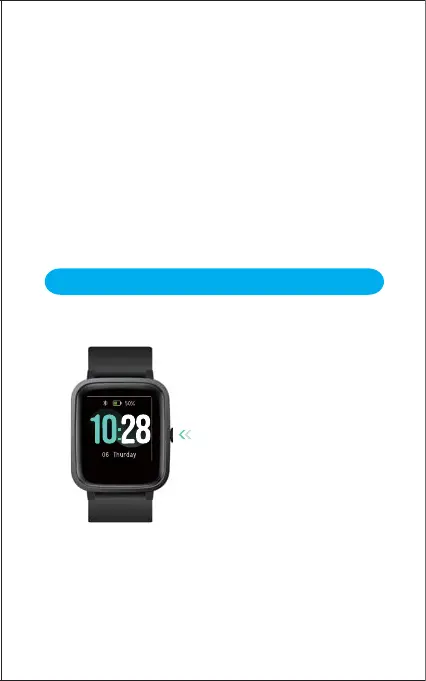
Function Button
Watch Interfaces
This is a touch screen; swipe the screen to go to different
interfaces, and tap to enter the function.
Press the function button to wake the
screen or return to the previous
interface.
Press and hold the function button to
turn on the watch.


 To Previous Page