4
Controls
•
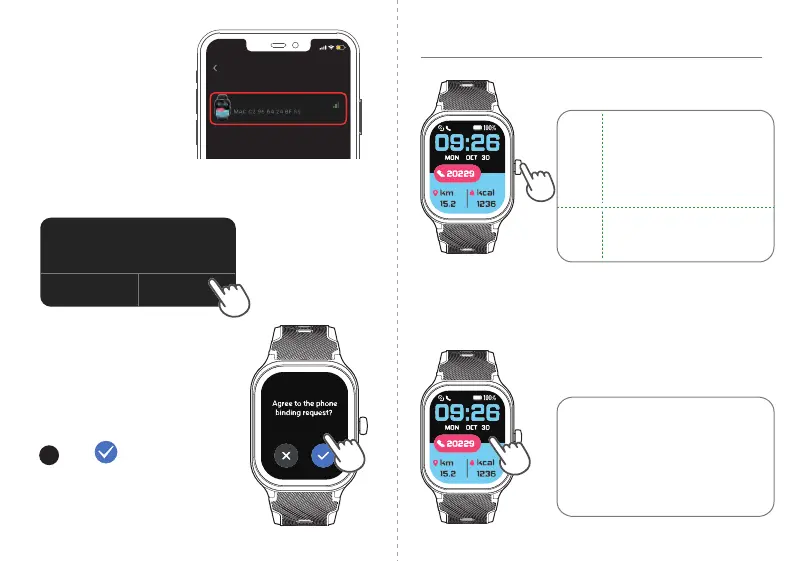
Function Button
● Wake the screen.
● Return to the home screen.
● Pause / resume the sport.
● Power on / off the watch.
Press
Hold
•
Touch Screen
● Swipe to go to different interfaces.
● Tap to enter the function.
● Swipe the screen to the right to
return to the previous interface.
● Hold the home screen to change
the watch face.
OR
Tap "Scan QR Code "
and scan the QR code on
the watch to pair.
Tap "Pair by model "
→ "E26-XX-XXXX"
to pair.
4
Tap on the watch to
confirm the connection.
Note:
"Bluetooth Pairing Request" will
pop up twice on your phone,
please click "Pair" both times.
Pair device
Device found
E26-XX-XXXX
15
:
05
Bluetooth Pairing Request
Pair with “E26-XXXX” ?
Cancel Pair



 To Next Page