Please do not wear your watch
too tight.
If your watch gets wet (for
example after sweating or
showering), clean and dry it
thoroughly before putting it
back on your wrist.
Make sure your skin is dry
before you put your watch back
on.
Prolonged rubbing and
pressure may irritate the skin,
so give your wrist a break by
removing the watch regularly.
Some people with allergic skin may react when their skin is
exposed to materials used in watches for a long time. This may
be caused by allergies, environmental factors, prolonged
exposure to irritants such as sweat and soap, or other factors. If
you have known skin allergies, please pay special attention
when wearing the watch.
Important
Safety Guide
Tips:
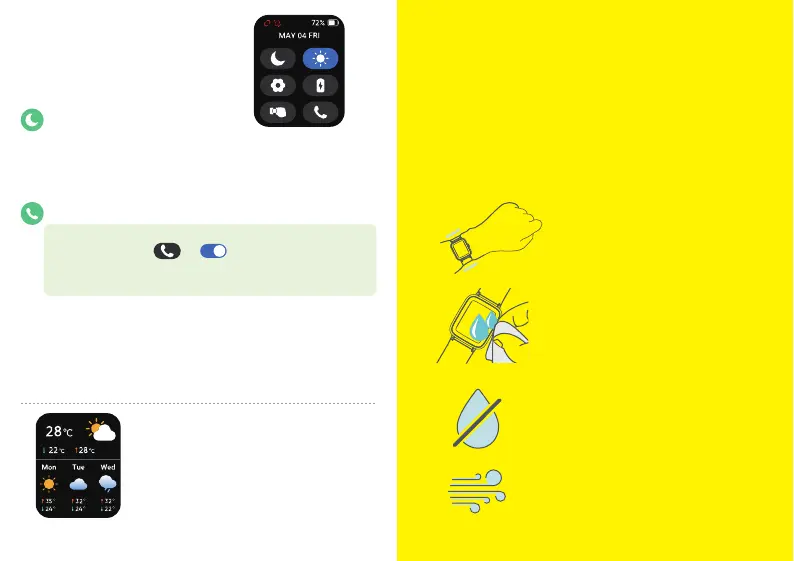
Quick Settings
Do Not Disturb (DND) mode:
• When the DND mode is enabled, the watch won't ring or
vibrate when it receives incoming call alerts, SMS, app
notifications.
• DND mode does not affect Alarms and Raise to Wake function.
Turn on Bluetooth Calling:
1. DND mode must be disabled before using Bluetooth Calling.
2. On the watch, tap → to turn it on.
3. On your phone, go to “Settings” → “Bluetooth” , tap
“E26-xxxx” to connect.
Notes:
• To use the Bluetooth Calling feature on the watch, please keep
the watch connected to your phone via Bluetooth.
• Ringing or vibration switching can be modified in "Setting" →
"Ringtone".
• This feature will reduce the watch’s battery life.
Weather
Weather:
• On the "Device" page of Letsfit app, you
can turn on/off the "Weather" function,
and the default is off
• Weather forecast for the next few days.
Weather data is obtained through your
phone’s network. Connect the watch to
your phone to timely update weather data.



 To Next Page