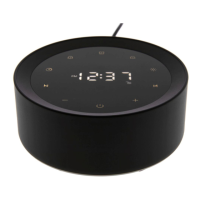
The device described in this manual is a Sleep Sound Machine, model T126L, designed to help users relax and sleep better by playing various nature sounds.
Function Description
The primary function of the T126L Sleep Sound Machine is to provide a selection of soothing sounds to aid in sleep and relaxation. It offers 14 different nature sounds, including:
- White Noise
- Pink Noise
- Brown Noise
- Fan Noise
- Clothes Dryer 1
- Clothes Dryer 2
- Crickets
- Singing Birds
- Ocean Wave
- Thunderstorm
- Water Stream
- Twinkle Twinkle Little Star
- Hush Little Baby
- Rock-a-bye Baby
In addition to playing sounds, the device features a night light with adjustable brightness. It also includes an auto-off timer function, allowing users to set the device to turn off automatically after a specified duration.
Important Technical Specifications
- Model: T126L
- Adapter Input: 100-240V ~ 50/60Hz
- Adapter Output: 5V === 1.0A
- Device Working Voltage: DC 5V
- Device Working Power: <3 Watts
- Working Temperature Range: -10 °C to 50 °C
Usage Features
The T126L Sleep Sound Machine is designed for ease of use with several intuitive controls:
Power On/Off:
- Connect the device to a power source using the provided power adapter.
- Tap the power switch (located on the bottom of the device, accessible from the top panel) to turn the device on or off.
Sound Selection:
- Users can choose from 14 nature sounds by tapping the "Previous track" (K) or "Next track" (D) buttons located on the top panel.
Volume Control:
- The volume can be increased or decreased by tapping or holding the "Volume -" (K) or "Volume +" (D) buttons.
Auto-Off Timer:
- When the device is on, press the "T" button (located on the top panel) to cycle through timer settings: 15, 30, 60, 90, or 120 minutes.
- To turn off the timer, continue pressing the "T" button until the timer is deactivated, or press and hold the "T" button directly.
- For continuous sound playback, ensure the timer is turned off.
Night Light:
- To turn the night light on or off, tap the metal speaker grill on the top of the device.
- To adjust the brightness of the night light, press or hold the "+" (Increase brightness) or "-" (Decrease brightness) buttons, also located on the top panel.
Restoring Factory Default Settings:
- Disconnect the device from the power source.
- Press and hold the "T" button.
- While holding the "T" button, reconnect the device to the power source.
- The device will restore to factory settings after 3 seconds, indicated by a voice prompt "Factory Recovery".
Maintenance Features
The manual provides important safety instructions that also serve as maintenance guidelines:
Cleaning:
- Clean the machine regularly with a soft, dry cloth.
- Do not use any liquids, sprays (including solvents, chemicals, alcohol, or abrasives) to clean the device.
Environmental Precautions:
- The machine is designed for indoor use only.
- Do not use the machine near water (e.g., bathtub, swimming pool, faucet, basin) to avoid risk of injury.
- Do not operate where aerosol (spray) products are being used or where oxygen is being administered.
- Avoid placing the machine in areas exposed to direct sunlight or close to heat-radiating products (e.g., electric heaters).
- Do not place the device on top of stereo equipment that may emit heat.
- Avoid dusty, humid, moist, or poorly ventilated areas, or areas subject to constant vibration.
Handling and Operation:
- Never drop or insert objects into any opening on the device.
- Do not apply excessive force when using any of the control buttons.
- Ensure power cords are routed to avoid being walked on or pinched by items.
- Disconnect the power supply when the machine is unused for an extended period or when moving it.
- Use this device only for its intended purpose as described in the manual.
- Close supervision is necessary when the appliance is used by or near children, people with learning difficulties, or people with disabilities.
- Never operate this device if it has a damaged cord, cable, or housing.
Interference Avoidance:
- The machine may be subject to interference from external sources such as transformers, electric motors, or other electronic devices. To avoid distortion, place the device as far away from these disturbances as possible.
Warranty
The product comes with a ONE-year hassle-free warranty. Users are encouraged to contact the manufacturer with any questions about their devices.

 Need help?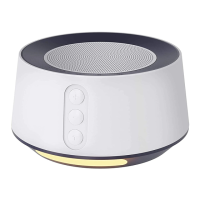

 To Next Page
 General