- 7 -
● Snooze mode:
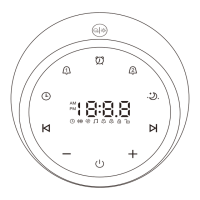
When the alarm sounds, you can tap the " " button on
top of the machine to postpone the alarm. And the " " / " "
icon will flash. The alarm will sound again after 9 minutes.
You can postpone an alarm five times.
Notes:
● Alarm 1 is defined as a wake-up alarm. When it sounds,
the light will stay warm yellow at the same time. When
the alarm is off, the light will go out.
● Alarm 2 is defined as a sleeping alarm. When it sounds,
the light will stay blue at the same time. When the alarm
is off, the light will go out.
● If there is no operation for 10 seconds in the setting
mode, the current parameters will be automatically
saved, and the setting mode will be exited.
Set Night Light
1) Tap the " " button on top of the machine to turn on /
off the night light.
2) When the night light is on, tap and hold the " " button
to adjust the brightness.


 To Next Page