Letus35 Mini User Guide
9
Clean the top surface of the prism.6.
Put the enclosure cap back on and use the 2 Allen screws to secure it in 7.
place again. Do not over tighten them.
Put the front tube back on.8.
NOTE: Dust will not matter beyond this point,
unless it is a stain. To remove a stain, please send it
back to the factory for repair. The warranty WILL
BE VOIDED if you perform step 9 and beyond.
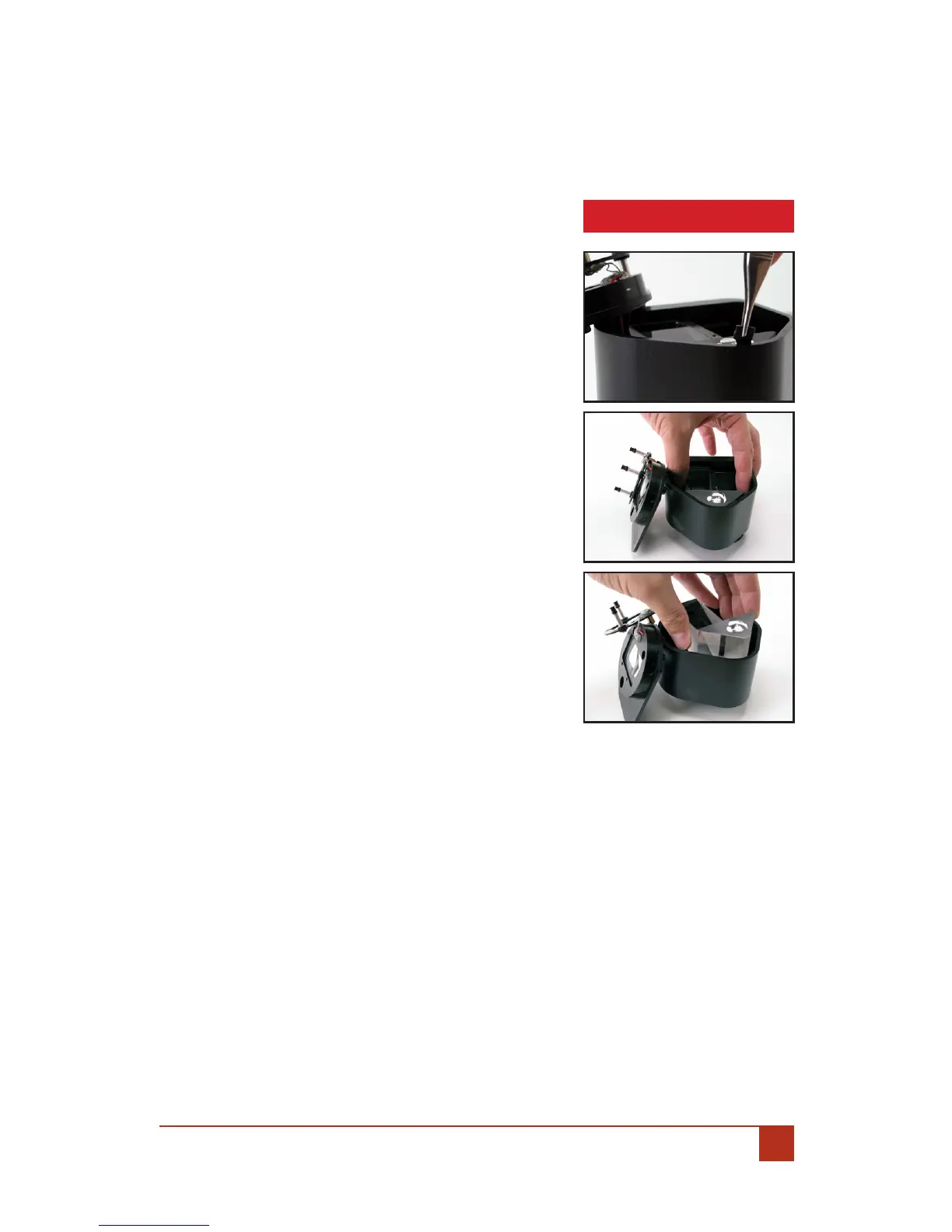
Pull the black rubber wedge at the roof of 9.
the prism out with a pair of narrow pliers.
Lift the prism up by using the index nger 10.
and the thumb.
Clean the prism with lens cleaning solu-11.
tion and put it back.
Put the rubber wedge back.12.
Put the enclosure cap back and use the 2 13.
allen screws to secure it in place. Do not
over tighten them.
Put the front tube back on.14.
CAUTION


 To Next Page