Letus35 Mini User Guide
6
Tighten the three (3) set screws to rmly lock the Lens Mount in place.4.
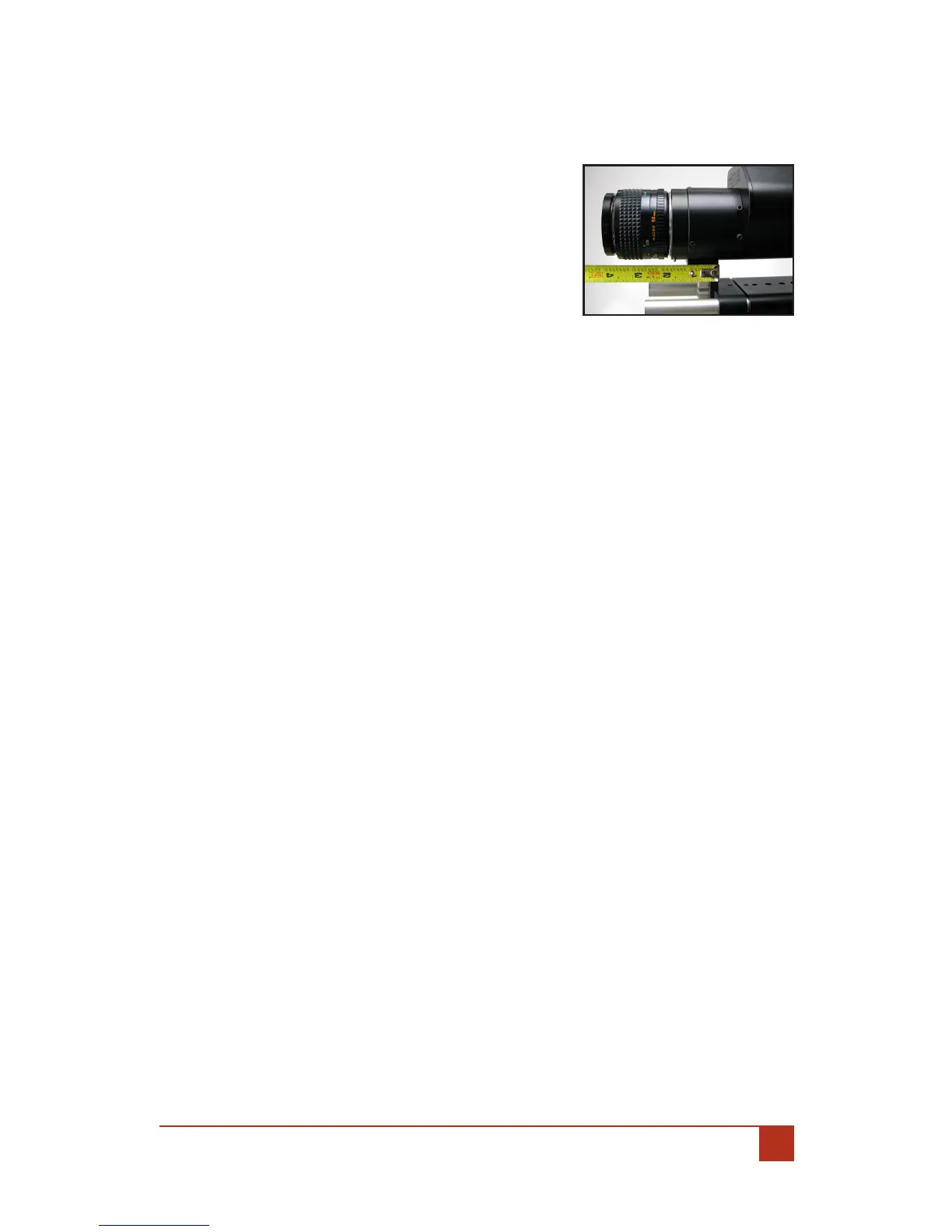
Measuring Focus: IV.
The Film Plane for the Letus35 Mini 35mm DOF
Adapter is 28.2mm from the front of the tube to-
ward the main body. If you have the optional sup-
port bracket, the back of this bracket is the Film
Plane; attach your tape measure to this section on
the adapter.
Adjusting Back Focus: V.
The back focus is set at the factory, so it should not need adjusting. In the event
that back focus for your Letus35 Mini 35mm DOF Adapter needs to be adjusted,
refer to this section. Generally, if your lens achieves Innity Focus, your shoot-
ing situations will not be aected. Some operators may also want to further ad-
just for accurate barrel markings on Still Camera Lenses. Follow these steps:
Testing The Focus:A.
Setup your camera with the Letus35 Mini 35mm DOF Adapter using 1.
the preceding instructions, and attach a 50mm lens. (Any lens will do,
we’ve used a 50mm Lens because it is the easiest to use and widely
available amongst users).
Place a Siemens Star (available in the inside back cover of this manual) 2.
in front of the lens at a predetermined distance. For this example we
will use a four (4) foot distance from Film Plane to the Siemens Star. To
determine the distance of the star you will need to measure from the
Film Plane to the star. (See: IV. Measuring Focus).
Using the lens, focus on the Siemens Star. The focal markings should 3.
correspond to your focal distance appropriately. Example: At four (4)
feet the Siemens Star should be the focus point of your image or in
focus. If it is not, you may need to adjust back focus.
Adjusting The Focus: B.
There are two (2) cases where you may want to adjust the back focus:
Case 1: If your lens can achieve innity focus at less than the innity marking,
subsequently, the barrel markings are slightly o. This is how to x it:
Gently loosen the three (3) set screws holding the lens mount.1.


 To Next Page