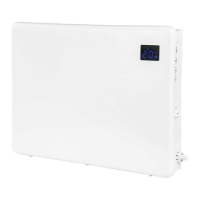
1. The function module
Thefunctionmoduleisequippedwithanaccuratethermalcut-out.Ithasabuilt-intimerwith13
programs,ofwhich12arefactorysetandoneisavailableforuserprogramming.
2. Setting the Day and Time
Whenrstinstalled,orwheneverthepanelheaterhasbeendisconnectedfromthemainssupply,theDay
andTimewillneedtobeset.TomakechangestotheLCDmodulesettingsthecoverhastoberemovedby
unscrewingthesinglelockingscrew
1. Pressthetimerbutton8
2. Thecurrent“Day”settingwillash
3. UsetheUp9andDown10buttonstoselectthecorrectday
4. Pressthetimerbutton8
5. Thecurrent“Hour”settingwillash
6. UsetheUp9andDown10buttonstoselectthecorrecthour
7. Pressthetimerbutton8
8. Thecurrent“Minute”settingwillash
9. UsetheUp9andDown10buttonstoselectthecorrectminute
10. Pressthetimerbutton8
11. Thetimersettingprogramwillterminateandtheselecteddayandtimewillbesaved.
3. Temperature Selection
Thepanelheaterworkswith2temperaturesettings:ALowlevelsettingandahighlevelsetting.Eachof
thesehastobesetwhenthepanelheaterisinstalled.Thedefaultsettingsare17
o
Cforthelowleveland
22
o
Cforthehighlevel.
Toalterthedefaultsettings:
1. RemovetheLCDpanelcover
2. Pressthetemperaturebutton5
3. Thehighleveltemperaturesettingwillbedisplayed
4. UsetheUp9andDown10buttonstoselecttherequiredtemperature.Thehighleveltemperature
range is 9
o
Cto30
o
C.
5. Pressthetemperaturebutton5
6. Thelowleveltemperaturesettingwillbedisplayed
7. UsetheUp9andDown10buttonstoselecttherequiredtemperature.Thelowleveltemperature
range is 5
o
Cto26
o
C.
8. Pressthetemperaturebutton5
9. The temperature setting program will terminate and the selected high and low temperatures will
besaved.


 To Next Page