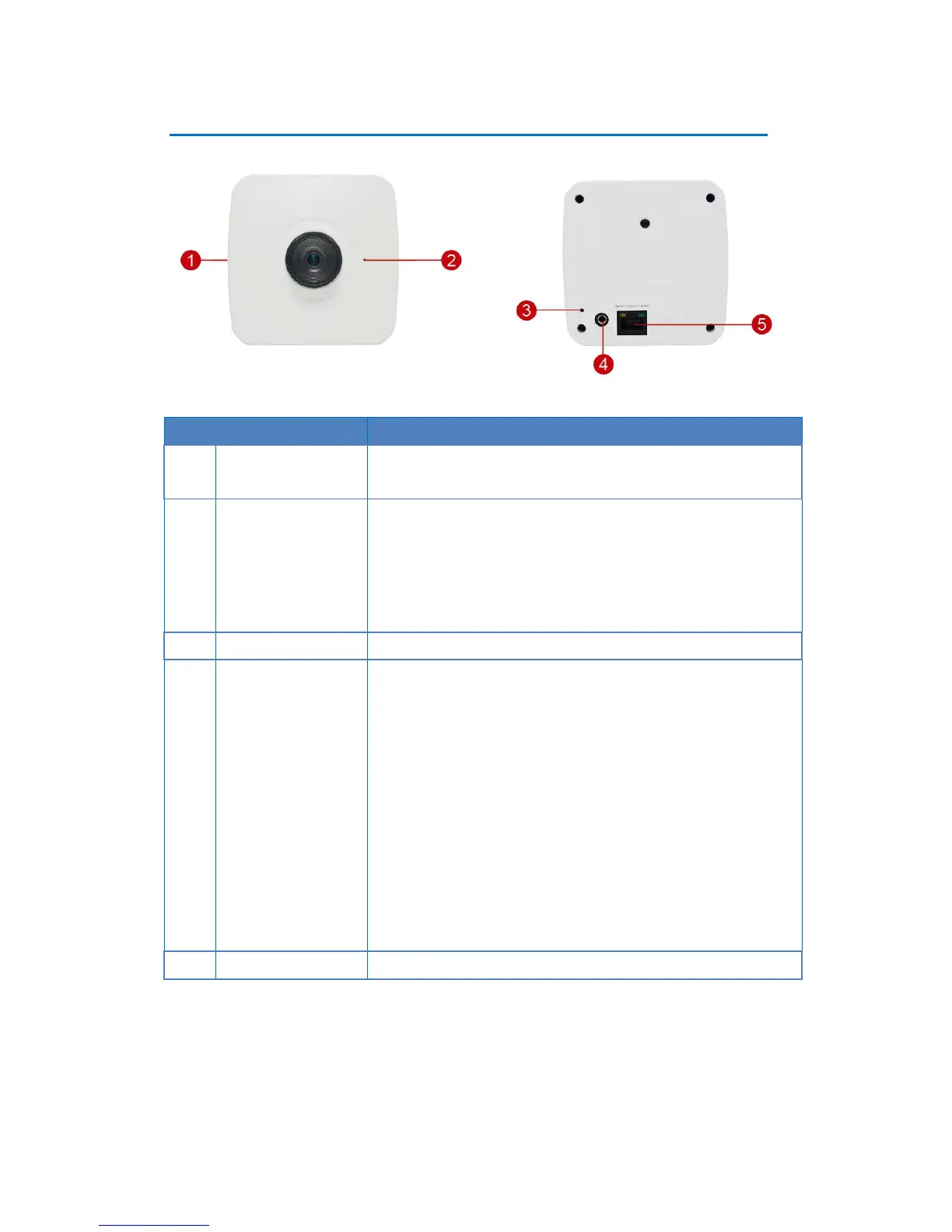
Insert a memory card into this slot for local recording purposes.
NOTE: Supports microSDHC and microSDXC cards.
Connects to audio input devices, such as a microphone with
built-in amplifier, etc.
NOTE: The microphone must have a built-in amplifier.
Connecting an ordinary microphone will dwarf sounds and will
result in inaudible recording.
The purpose of reset button is to restore the factory default
settings of the camera, including administrator’s password.
The reset button can be used for following purposes:
1. The administrator’s password has been forgotten and
therefore the camera cannot be accessed.
2. In case of IP address, mask, or allow/deny filter related
issues, resulting with inability to modify these settings.
3. In case of connectivity issues or abnormal video quality.
How to do the reset?
Using a pointed object, such as a paper clip, press and hold the
reset button for at least 5 seconds.















 To Next Page