5. Type in a Print Queue Names.
Note: Each print queue corresponds to each print port of the print server.
6. Click OK.
7. Done.
8. From your NetWare client computer, such as Windows 95/98/Me, create a printer that is
connected (redirected) to one of the NetWare print queues serviced by the print server.
Manual Setup
Manual Setup is a configuration program designed for more experienced users of NetWare.
To setup the print server by using Manual Setup follow the steps:
1. Run PCONSOLE in NetWare 3.x or NetWare 4.x and create the necessary parameters
(Refer to your Novell NetWare print server/Services manual for details).
2. Log into your NetWare file server as a Supervisor (Admin.) or equivalent. From your
Windows 95/98/Me, run PSAdmin.
3. Select the print server that you wish to configure.
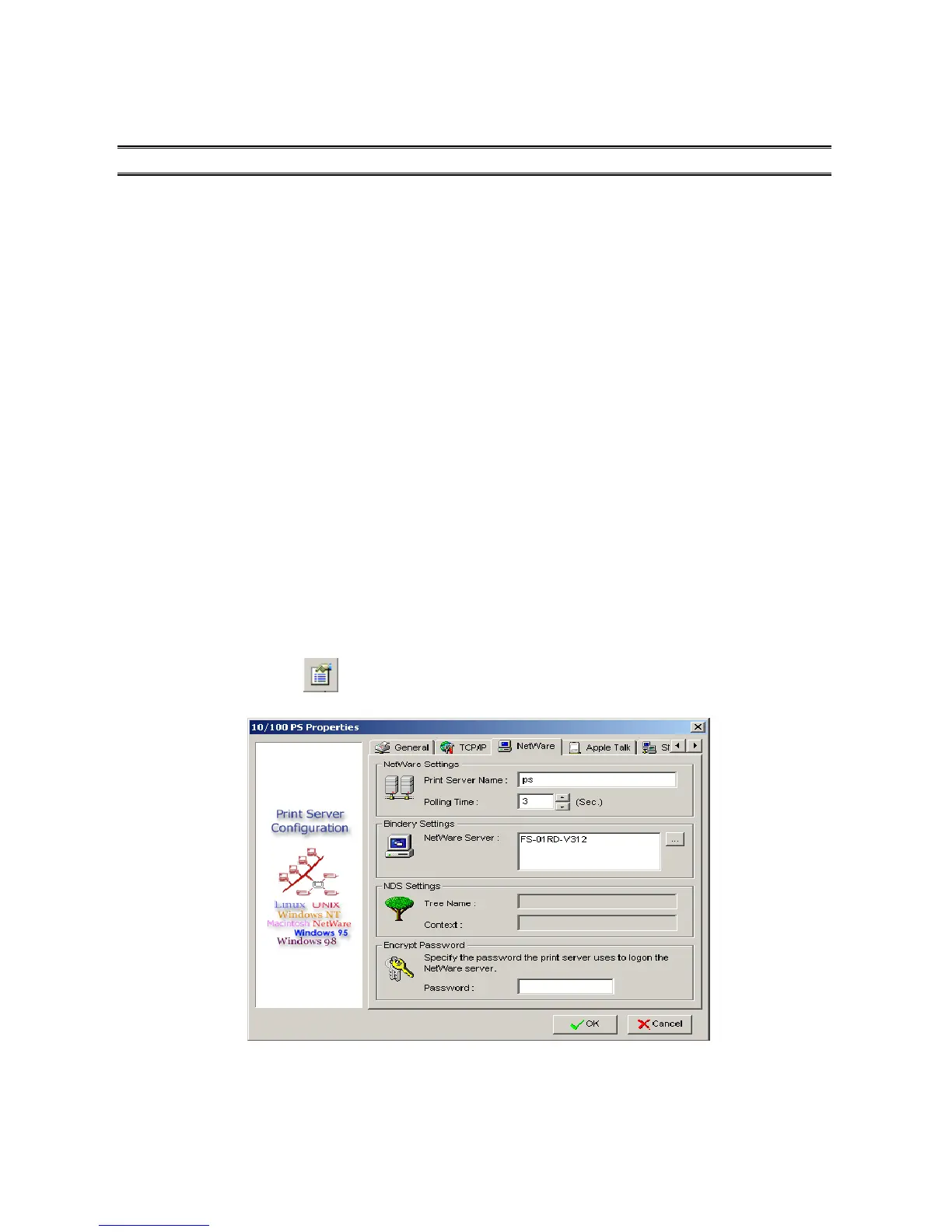
4. Click Properties in the tool bar and the following screen will appear, Properties button
just like a picture < >, as follow picture.
5. Select NetWare and type in the Print server that created during PCONSOLE.



 To Next Page