Windows 2000/XP/2003/Vista/7 Standard TCP/IP Port Printing Installation
1. Click Start, point to Settings, and select Printer.
2. Run Add Printer, Click Next.
3. The Add Printer Wizard screen will appear, Select Local Printer and click Next.
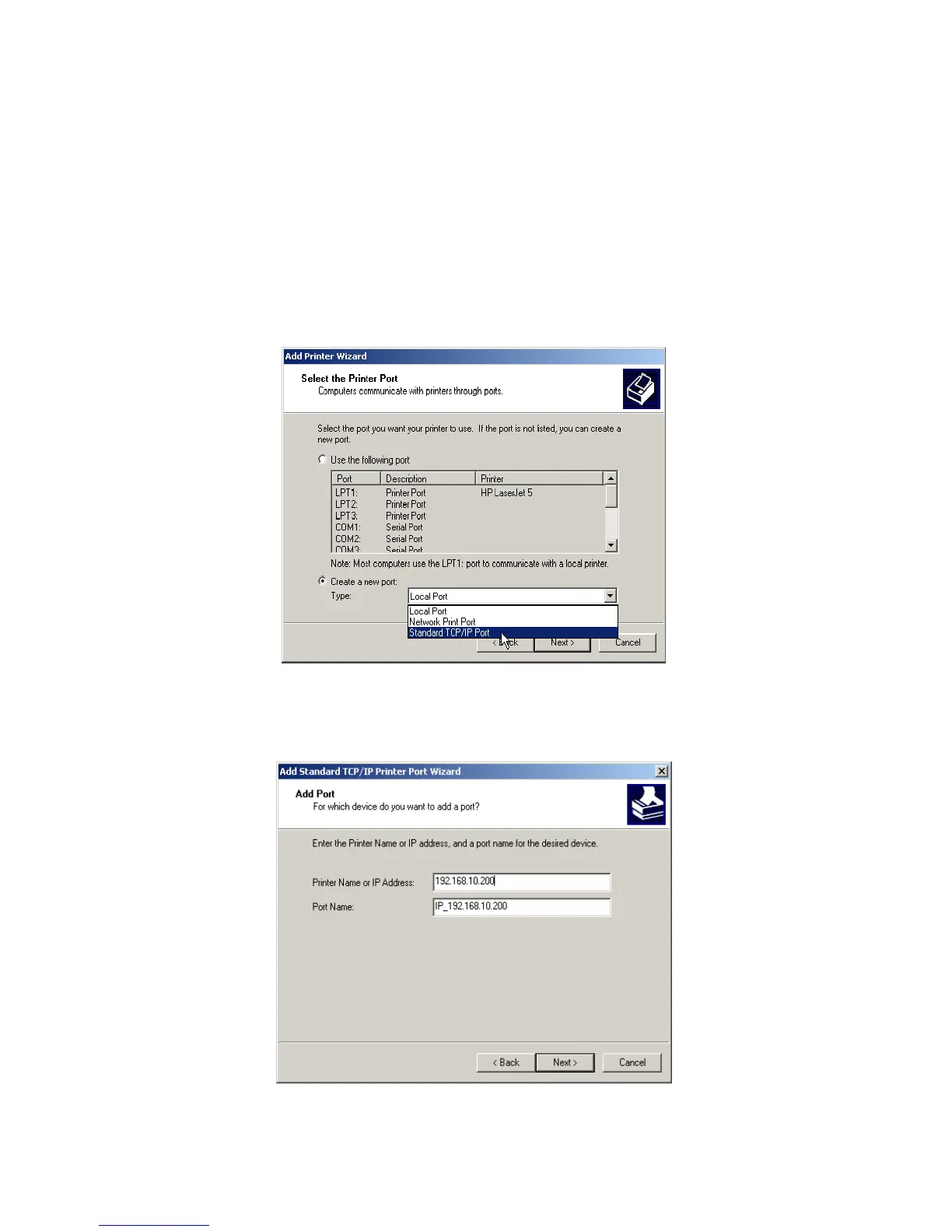
4. From the type of Create a new port box as shown in the following picture, select the
Standard TCP/IP Port, Click Next and Next.
5. The Add Standard TCP/IP Printer Port Wizard box will then appear as shown the picture
as below, and type in the IP address assigned to the print server in the Printer Name
or IP Address box, Click Next.



 To Next Page