27
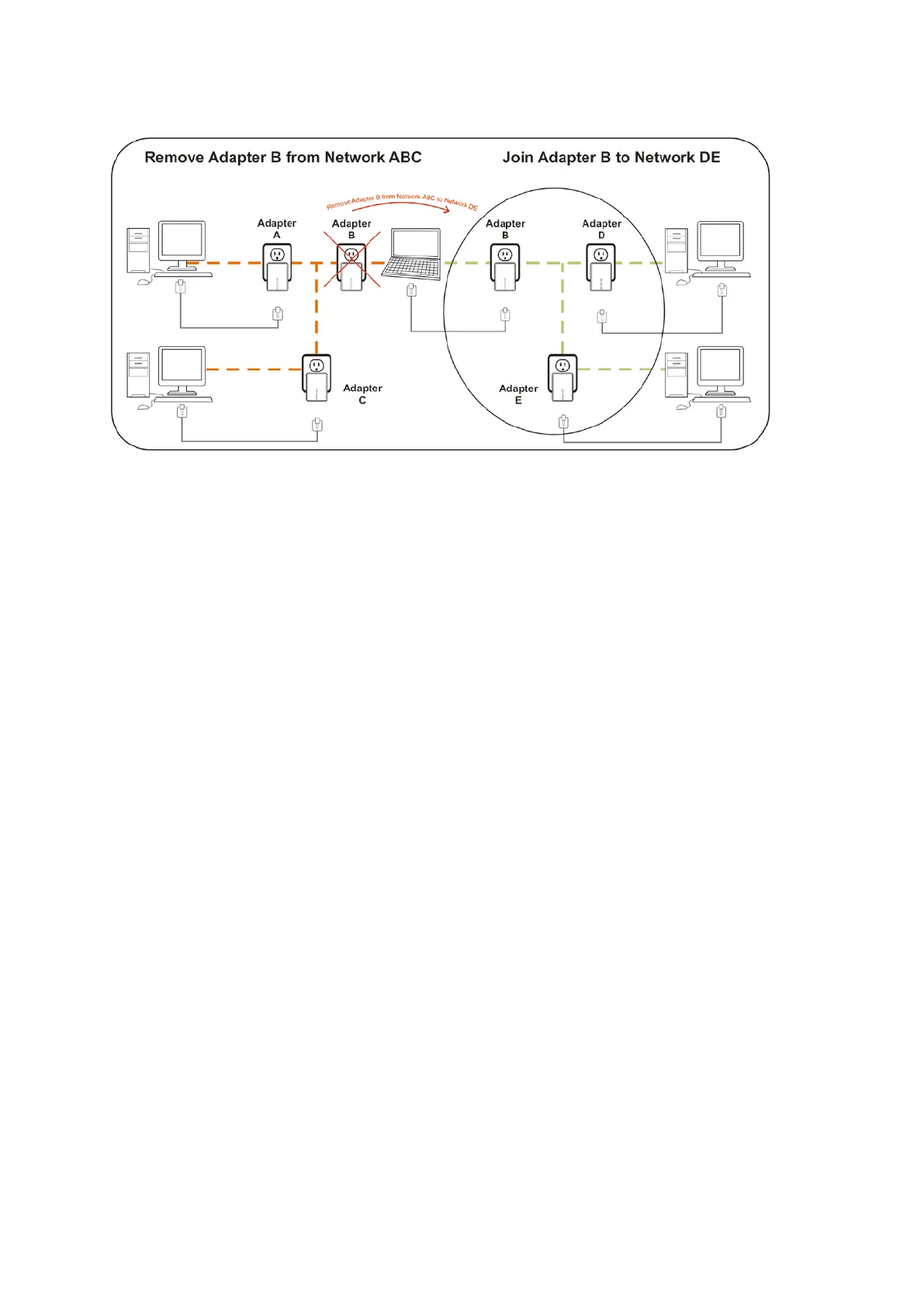
The procedure is as follows:
1. Press and hold the Security button on Bridge B for 10 seconds. Release it when the Power
light flashes. The password to Bridge B has just been erased and removes itself from Bridge
A & C.
2. Press and hold the Security button on Bridge D for 2 seconds.
3. Within 120 seconds after the Power light on Bridge D starts to flash, press and hold the
Security button on Bridge B for 2 seconds then release.
4. Bridge B and Bridge D are now connected to each other, which in turn becomes part of
Network BDE.
4.4 Troubleshooting














 To Next Page