Note:
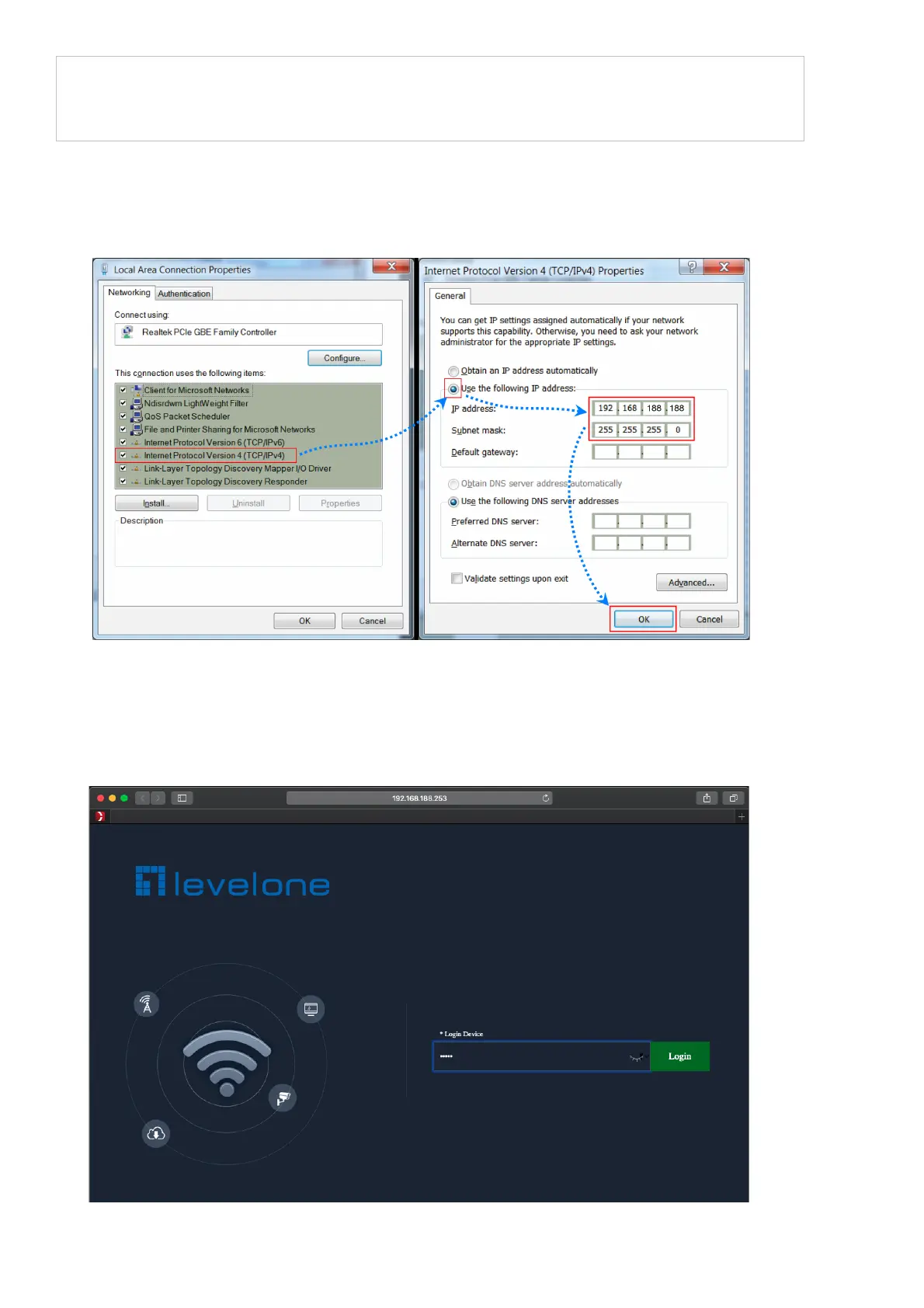
The IP address of wireless access point be within the same subnet as your
computer
3. Software Installation
l To enable network communication with wireless access point, your com- puter
must have a proper IP address, e.g. 192.168.188.188.
l Launch a Web browser (Google Chrome for example), enter the AP’s default
LAN IP address 192.168.188.253 in the address bar, and then press Enter, as
shown in the following picture. Then enter the default of password of admin in
the Password fields, click “OK” to access the AP’s Web GUI.















 To Next Page