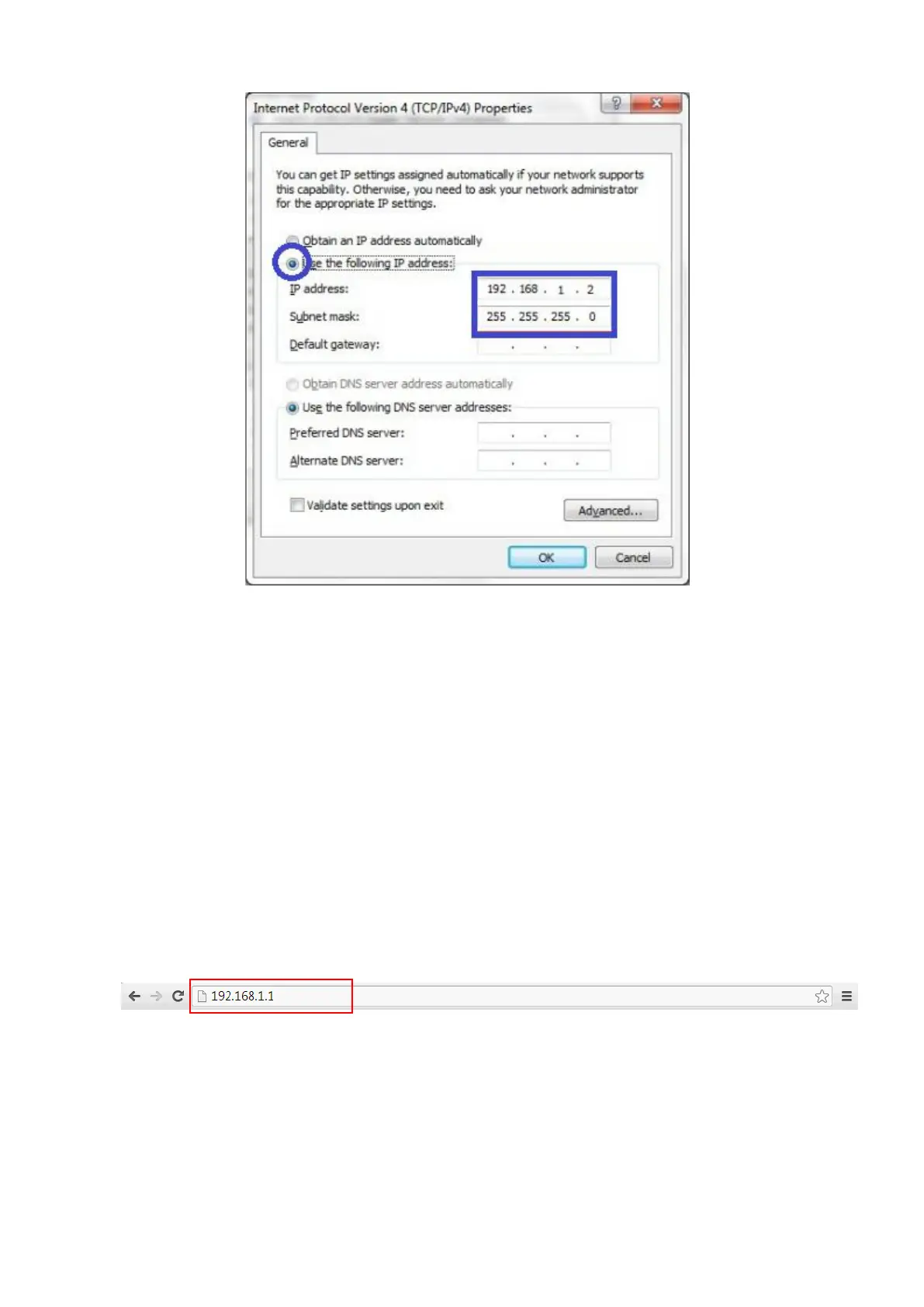
After applying this setting, you can now access to the web UI for configuring the device.
2.1 Easy Setup via Web UI
You can browse web UI to configure the device. Firstly you need to launch the Setup
Wizard browser first and then the Setup Wizard will guide you step-by-step to finish the
basic setup process.
Activate the setup wizard:


 To Next Page