Chapter 3 Making Configurations
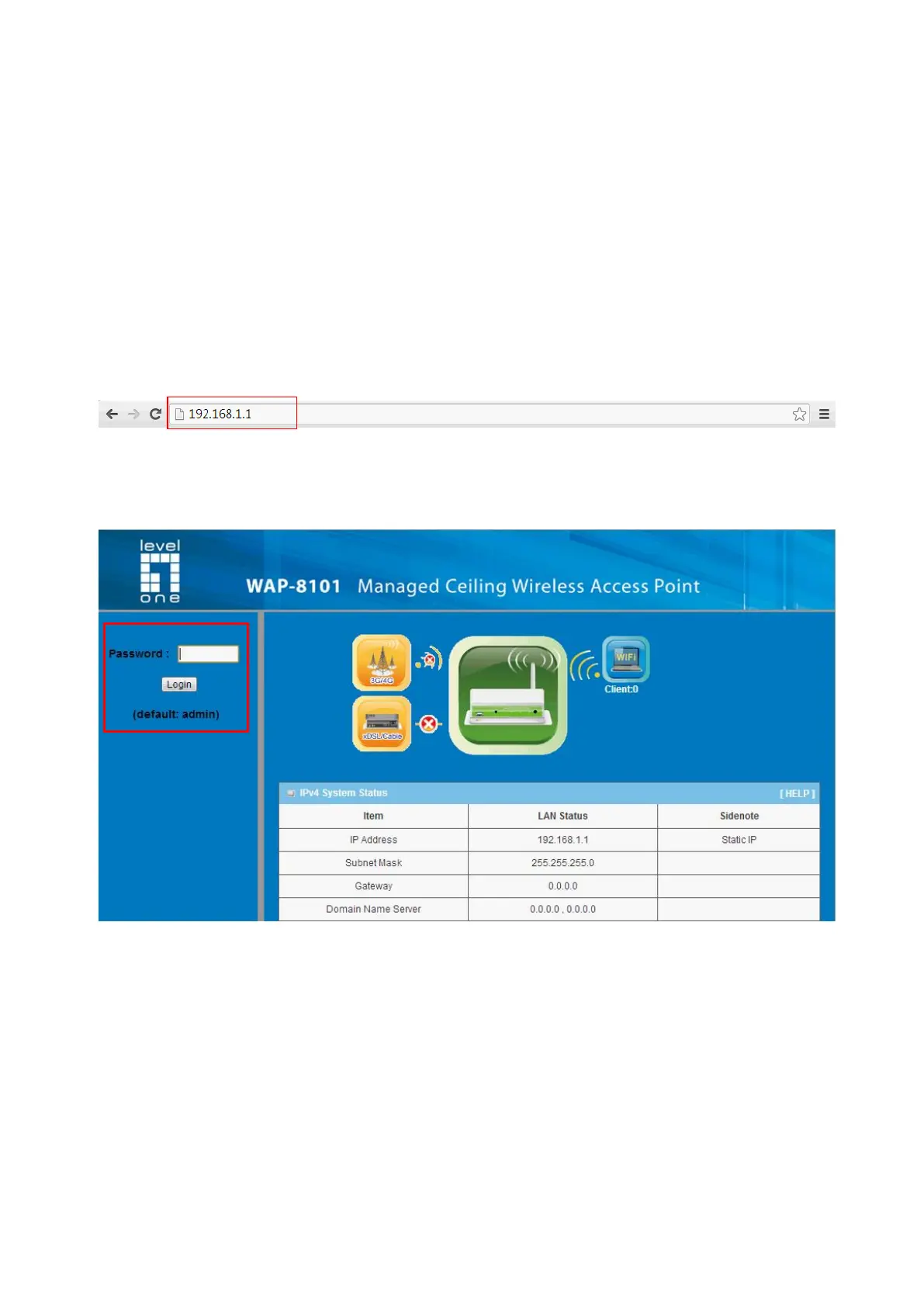
Whenever you want to configure your network or this device, you can access the
Configuration Menu by opening the web-browser and typing in the IP Address of the
device. The default IP Address is: 192.168.1.1. In the configuration section you may want
to check the connection status of this device, to do Basic or Advanced Network setup or to
check the system status. These task buttons can be easily found in the cover page of the
UI (User Interface).
Enter the default username and password “admin” in the System Password and then
click ‘login’ button.


 To Next Page