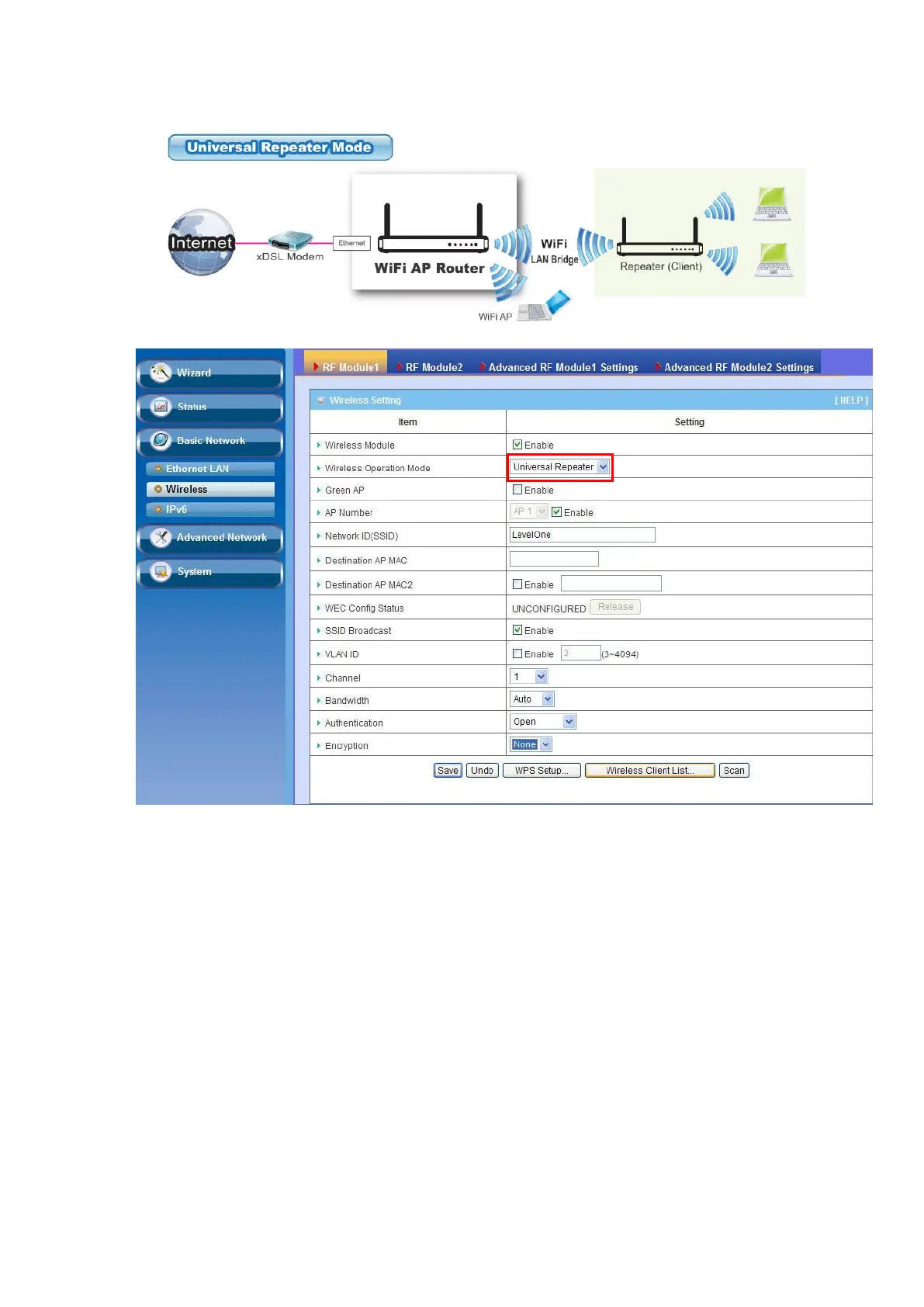
1. Green AP: Enable the Green AP function to reduce the power consumption when
there is no wireless traffic.
2. Network ID (SSID): Network ID is used for identifying a Wireless LAN. Client
stations can roam freely over this device and other Access Points that have the
same Network ID. The factory default SSID is “default”, you have to change it to
the same SSID of the peer AP to be associated under the Universal Repeater
Mode.
3. Destination AP MAC: Besides to have the same SSID of the peer AP to be
associated under the Universal Repeater mode, you also have to specify the MAC
address of the peer AP to avoid making wrong connection with other AP that has
the same SSID.
4. SSID Broadcast: By default, the SSID Broadcast setting is “Enable”, and the
device will broadcast beacons that have some information, including SSID, to the
air, so that wireless clients can know how many AP devices by scanning the


 To Next Page