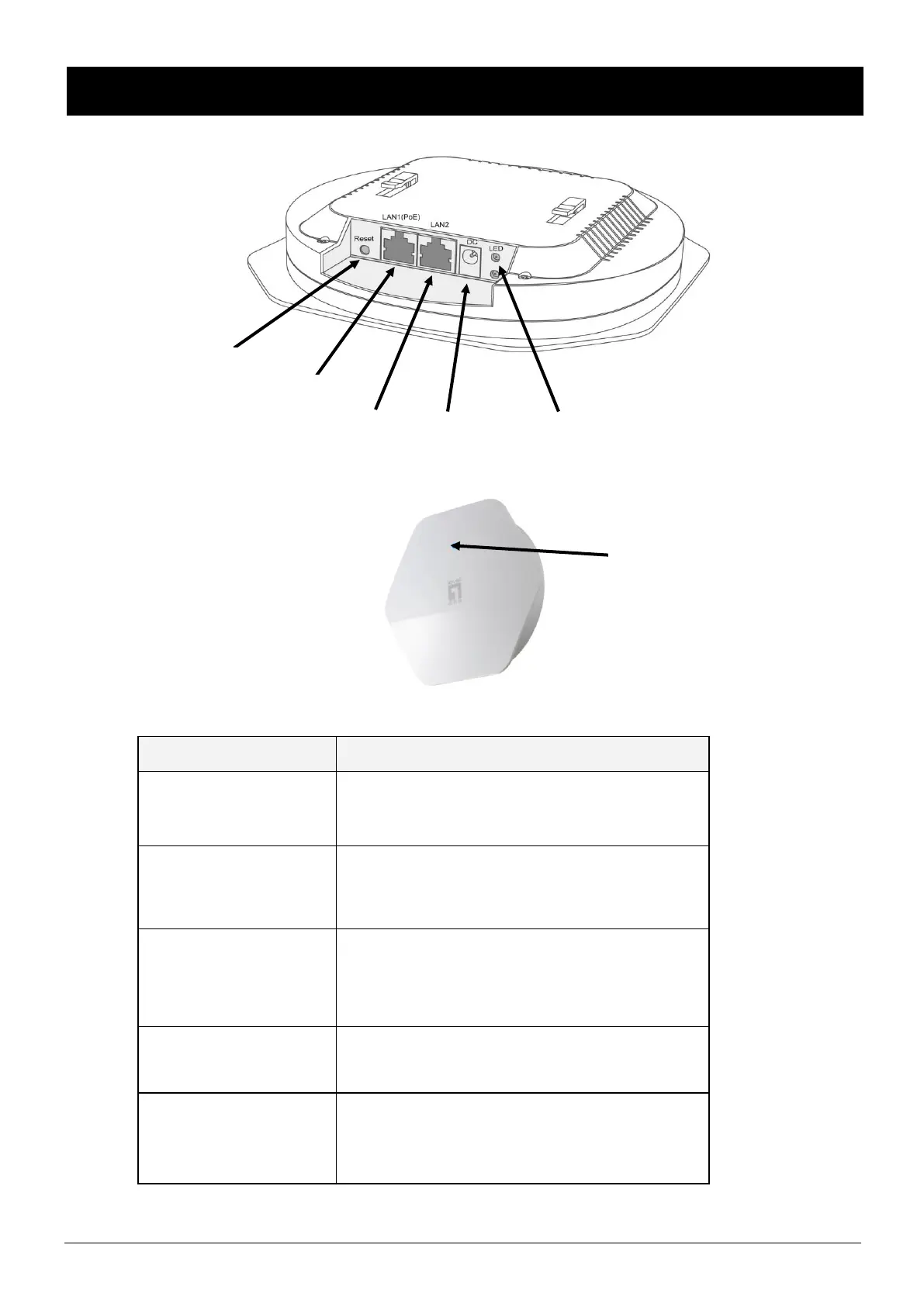
LED / Button / Interface
The Device is powered LED will be on when AP is
powered on.
The 2.4G/5G LED is on when 2.4GHz/5GHz
Wireless is enabled.The LED blinks when
transmitting/receiving 2.4G/5G wireless data.
The LED blinks twice per second when the
system is operating properly, and it will blink
slower if the system is under heavy load.
The LAN port is used to connect to network
devices, such as a switch.
With the AP powered on, press the Reset button
with a bent paperclip for 5 seconds until the
Link/Act LED goes off. The AP Will restart itself
and reset the device to factory default settings.













 To Next Page