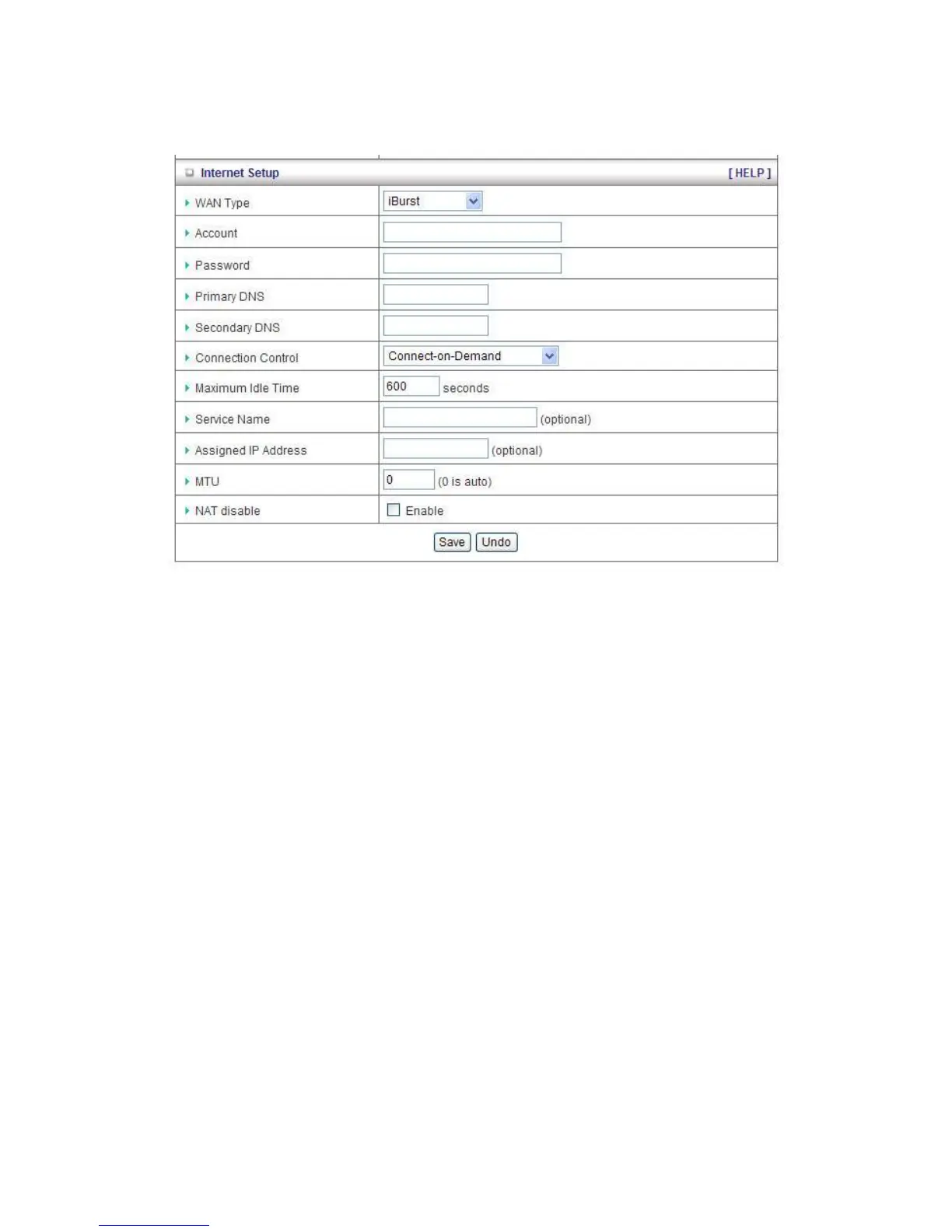
iBurst Type: The WAN fields may not be necessary for your connection. The information on this
page will only be used when your service provider requires you to enter a User Name and
Password to connect with the iBurst network.
Please refer to your documentation or service provider for additional information.
1. Account: Enter the new User Name for your PC card here, you can contact to your ISP to
get it.
2. Password: Enter the new Password for your PC card here, you can contact to your ISP to
get it.
3. Primary DNS/Secondary DNS: Optional, This feature allows you to assign a DNS Servers
4. Connection Control: There are 3 modes to select:
Connect-on-demand: The device will link up with ISP when the clients send outgoing
packets.
Auto Reconnect (Always-on): The device will link with ISP until the connection is
established.
Manually: The device will not make the link until someone clicks the
Connect-button in the Status-page.
5. Maximum Idle Time: the amount of time of inactivity before disconnecting your PPPoE
session. Set it to zero or enable “Auto-reconnect” to disable this feature.
6. Service Name: optional. Input the service name if your ISP requires it. Otherwise, leave it
blank.
7. Assigned IP Address: Optional, Input the IP address you want. Usually, leave it blank.














 To Next Page