32
WPA-PSK/WPA-PSK2
Another encryption options for WPA-PSK-TKIP and WPA-PSK2-AES, the others are same
the WPA-PSK.
WPA/WPA2
Another encryption options for WPA-TKIP and WPA2-AES, the others are same the WPA.
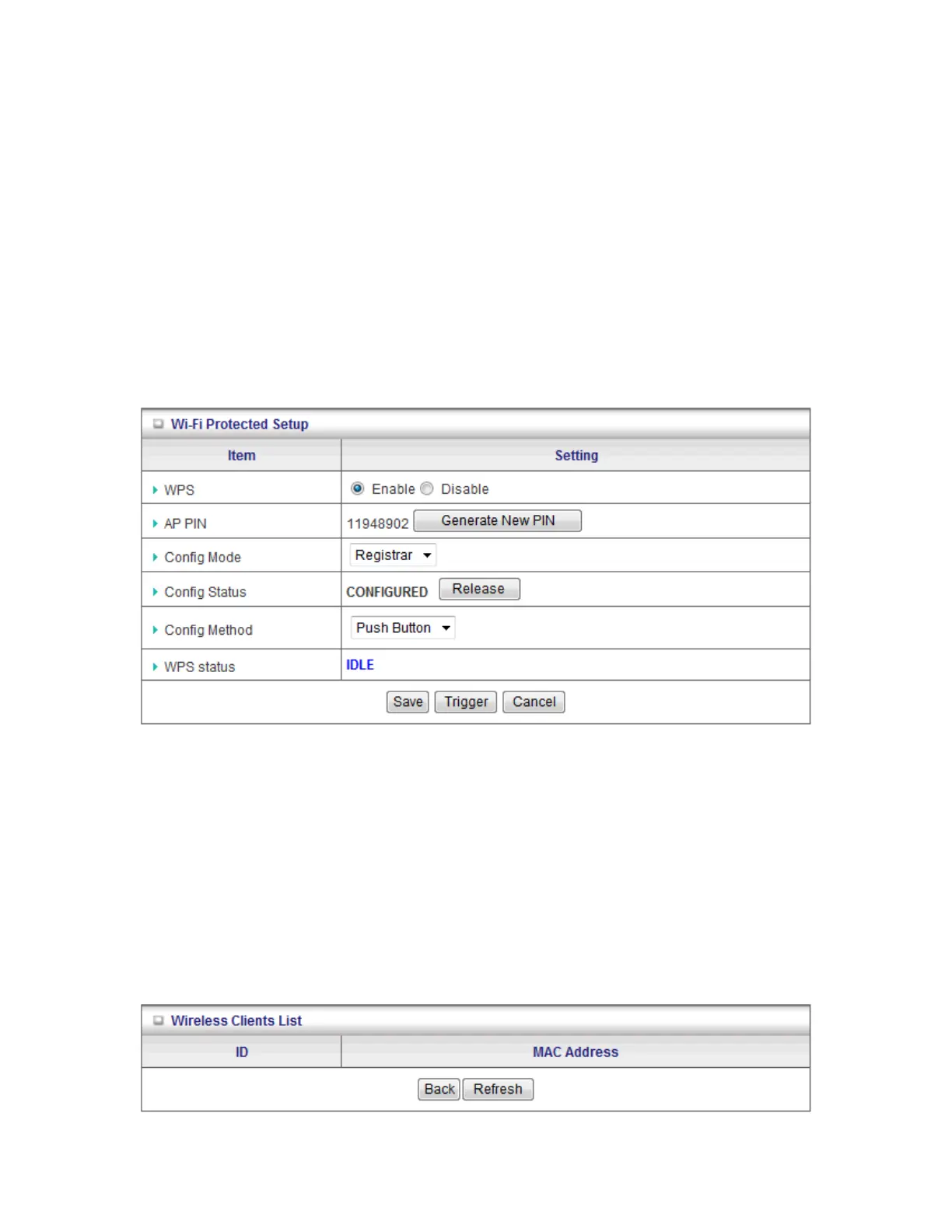
By pressing “WPS Setup”, you can configure and enable the easy setup feature WPS (Wi-Fi
Protection Setup) for your wireless network.
1. WPS: You can enable this function by selecting “Enable”. WPS offers a safe and easy way
to allow the wireless clients connected to your wireless network.
2. AP PIN: You can press Generate New Pin to get an AP PIN.
3. Config Mode: Select your config Mode from “Registrar” or “Enrollee”.
4. Config Status: It shows the status of your configuration.
5. Config Method: You can select the Config Method here from “Pin Code” or “Push Button”.
6. WPS status: According to your setting, the status will show “Start Process” or “No used”
Press “Wireless Clients List” and the list of wireless clients will be shown consequently.














 To Next Page