57
Chapter 4 . Troubleshooting
This Chapter provides solutions to problems for the installation and operation of the WiFi Mobile
Router. You can refer to the following if you are having problems.
1 Why can’t I configure the router even the cable is
plugged and the LED is lit?
Do a Ping test to make sure that the WiFi Mobile Note: It is recommended that you use
Router is responding.
an Ethernet connection to configure it.
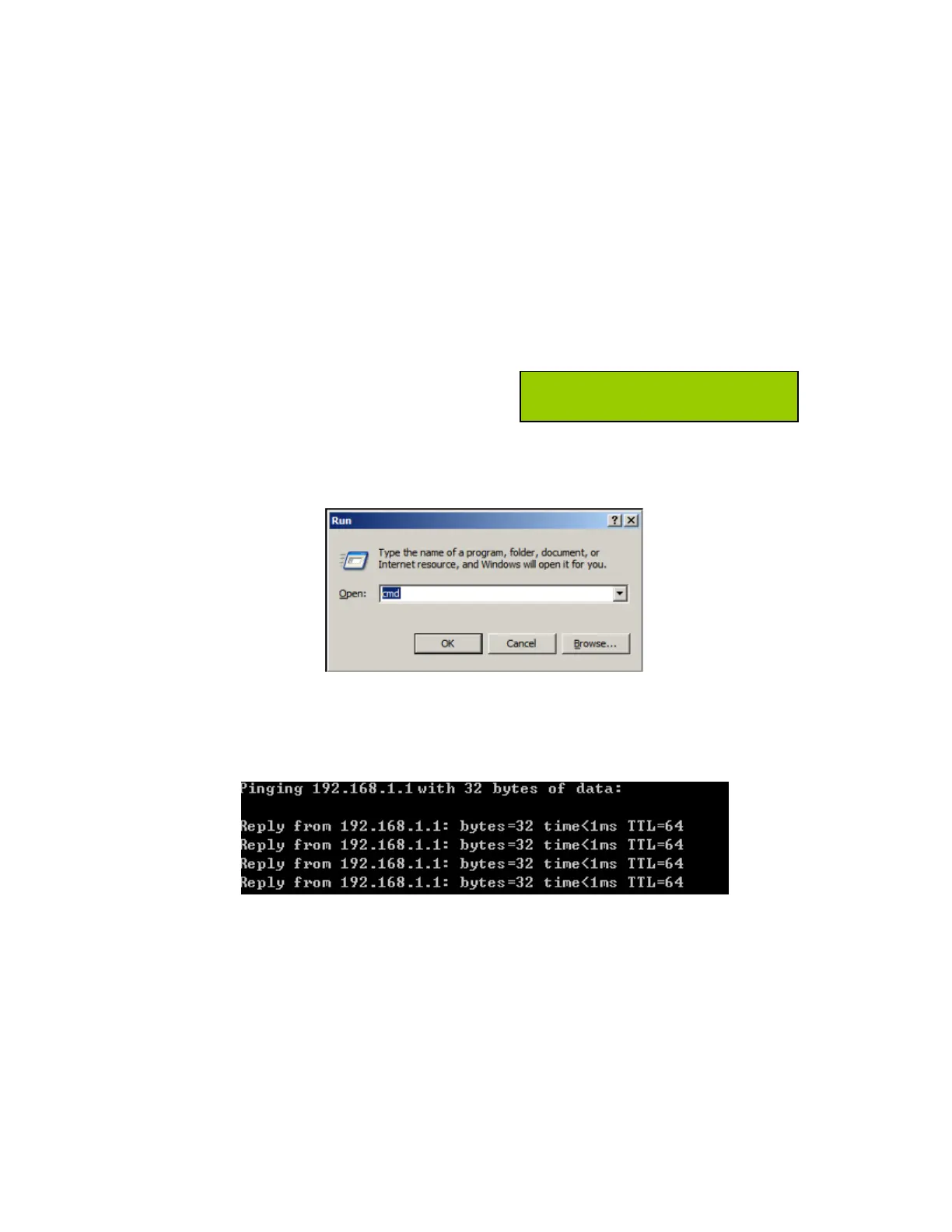
Go to Start > Run.
1. Type cmd.
2. Press OK.
3. Type ipconfig to get the IP of default Router.
4. Type “ping 192.168.1.1”. Assure that you ping the correct IP Address assigned to
the WiFi Mobile Router. It will show four replies if you ping correctly.
Ensure that your Ethernet Adapter is working, and that all network drivers are installed
properly. Network adapter names will vary depending on your specific adapter. The
installation steps listed below are applicable for all network adapters.
1. Go to Start > Right click on “My Computer” > Properties.
2. Select the Hardware Tab.
3. Click Device Manager.
4. Double-click on “Network Adapters”.
5. Right-click on Wireless Card bus Adapter or your specific network adapter.
6. Select Properties to ensure that all drivers are installed properly.














 To Next Page