6
B. LED indicators
Power LED indicator:
Power Source ON/OFF Switch LED Status Description
Battery Only
ON Green in flash Device ON, and Battery is in use.
ON Red Device ON, and Battery is low.
OFF N/A Device OFF
Power Adapter
ON Green
Device ON, and Battery is fully
ON Amber
Device ON, and Battery is
charging, or no Battery installed.
OFF Amber
Device OFF, and Battery is
OFF N/A Device OFF
Other LED indicator:
LED Status Description
Ethernet LED
Green
RJ45 cable is plugged, and Ethernet connection
is established.
Green in flash Data access
USB LED
Green in flash Data access
WiFi LED
Green WLAN is on
Green in flash Data access
C. Installation Steps
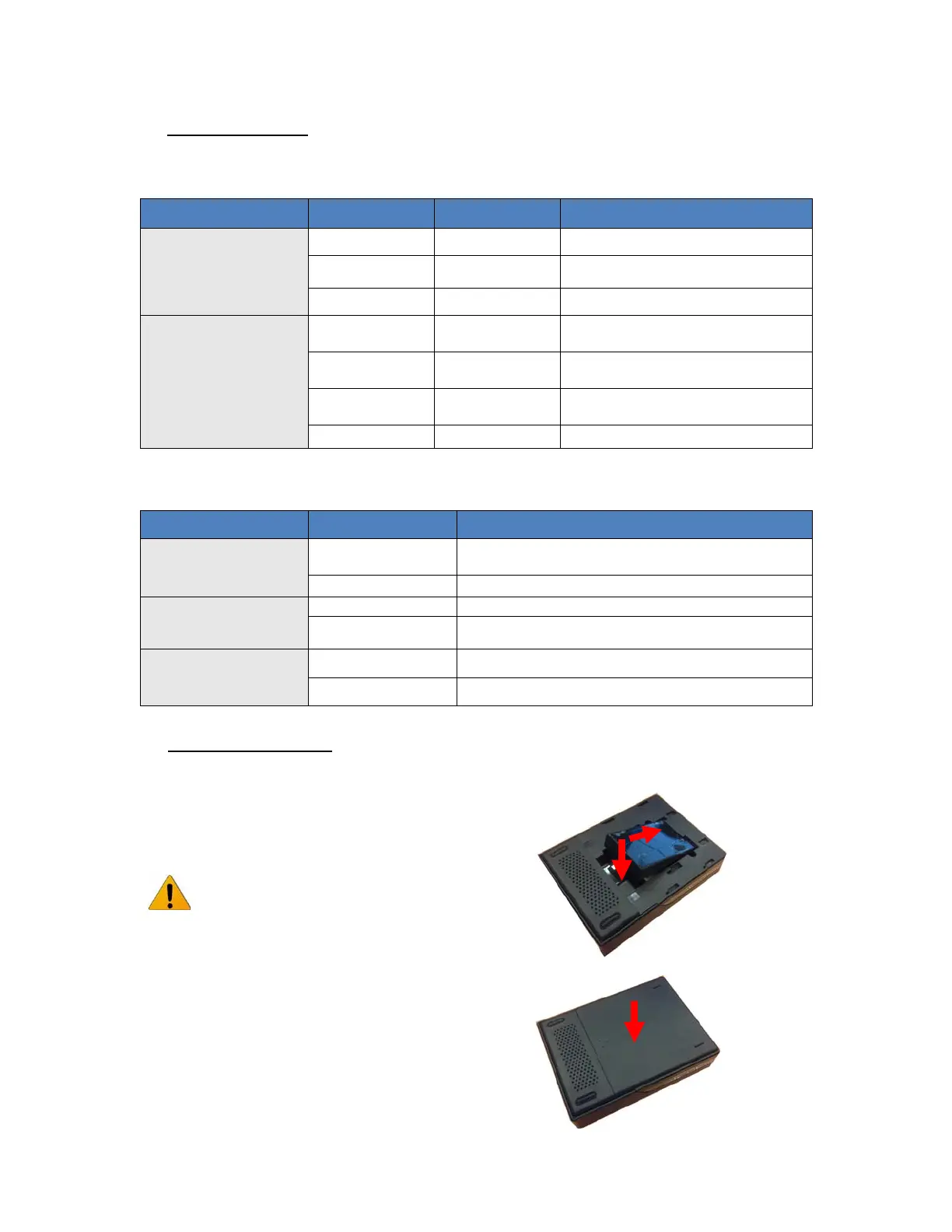
Step 1. Install the battery:
Turn OFF the power switch, open the battery lid, and
then insert the Li-ion battery into the battery holder.
DO NOT insert or remove the Li-ion
battery while the power switch is at
ON position.
Close the battery lid














 To Next Page