Failover
With this function enabled, when the primary WAN connection is broken, the device will
automatically switch to secondary WAN connection and keep you connected to Internet.
Meanwhile, if the device detects that the primary WAN connection is recovered, your Internet
connection will be switched from secondary WAN back to primary WAN.
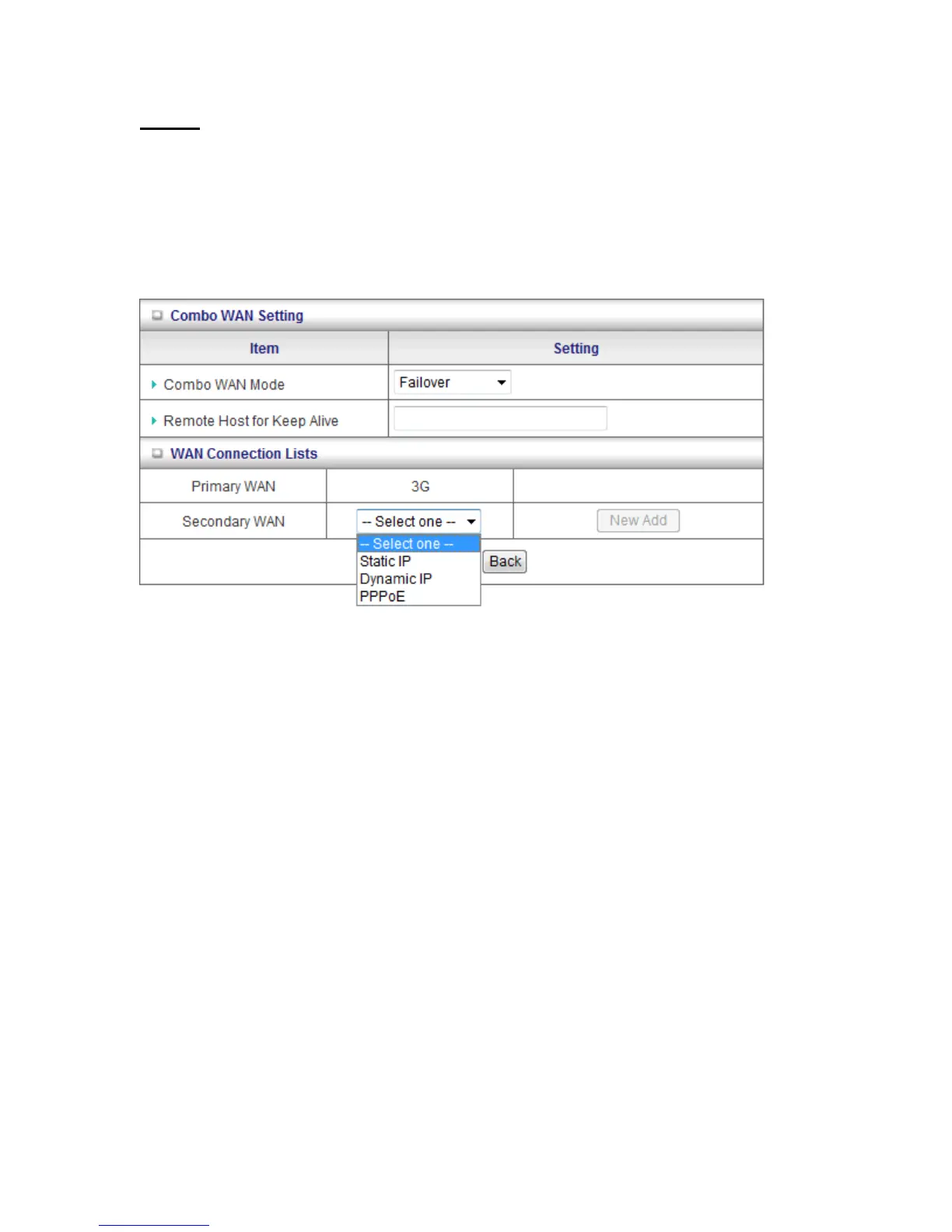
1. Combo WAN Mode: Choose Failover mode.
2. Remote Host for Keep Alive: Type an IP address or domain name of remote host to
detect if Internet connection is alive.
3. Primary WAN: The primary WAN is the WAN type you set at Internet Setup page.
4. Secondary WAN: Press “New Add” button to add the secondary WAN. If the primary
WAN is 3G or iBurst, then you can choose one of Static IP, Dynamic IP, and PPPoE as the
secondary WAN. However, 3G can be the secondary WAN if primary WAN is Static IP,
Dynamic IP, or PPPoE.














 To Next Page