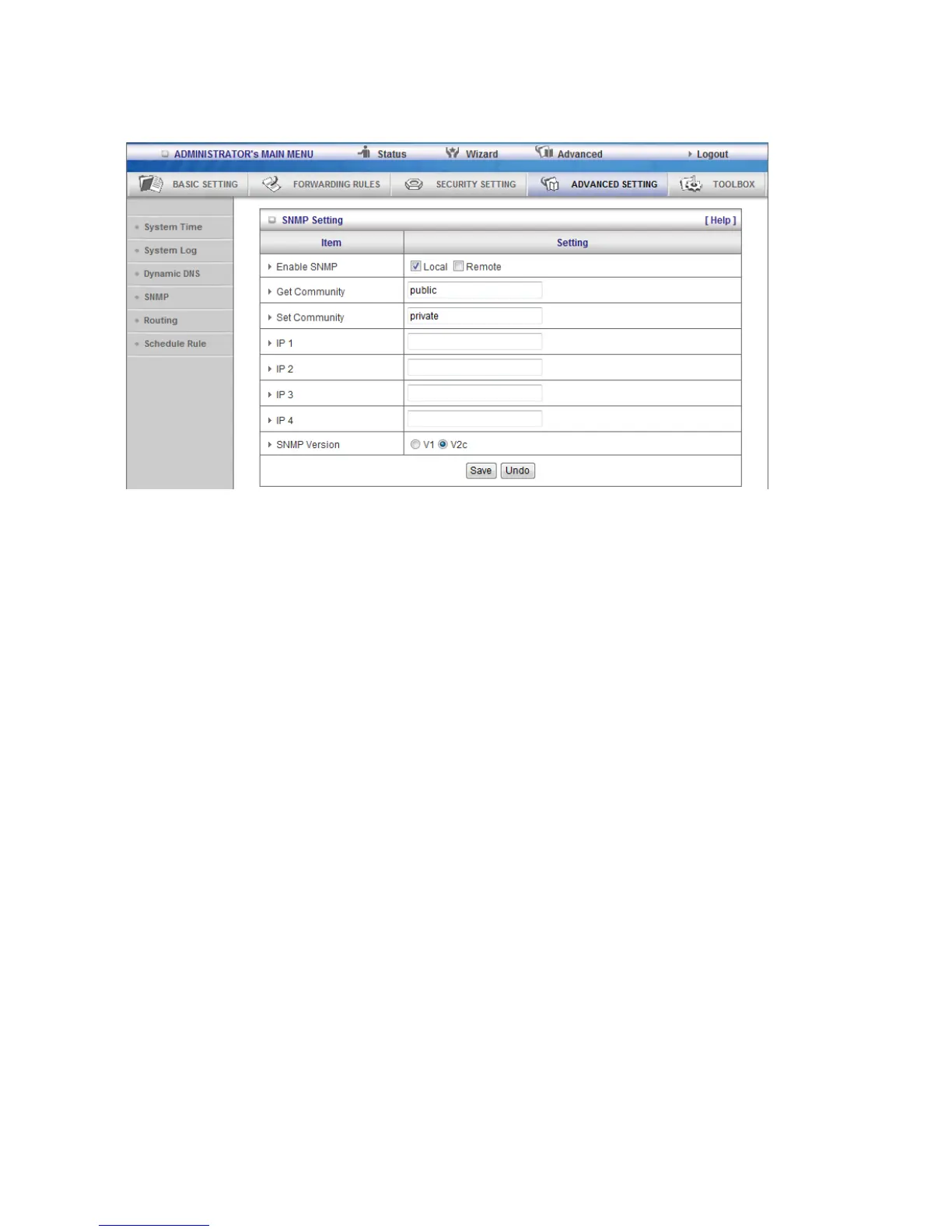
3.3.4.4 SNMP
In brief, SNMP, the Simple Network Management Protocol, is a protocol designed to give a user the capability
to remotely manage a computer network by polling and setting terminal values and monitoring network
events.
Enable SNMP
You must check Local, Remote or both to enable SNMP function. If Local is checked, this device will response
request from LAN. If Remote is checked, this device will response request from WAN.
Get Community
Setting the community of GetRequest your device will response.
Set Community
Setting the community of SetRequest your device will accept.
IP 1, IP 2, IP 3, IP 4
Input your SNMP Management PC‟s IP here. User has to configure to where this device should send SNMP
Trap message.
SNMP Version
Please select proper SNMP Version that your SNMP Management software supports.















 To Next Page