
 Need help?
Do you have a question about the Levenhuk Discovery Report WA20 and is the answer not in the manual?
Connect base station power, insert batteries in base and sensor, and establish wireless connection for data transmission.
Set time, alarms, atmospheric pressure based on altitude, temperature alerts, and temperature units (°C/°F).
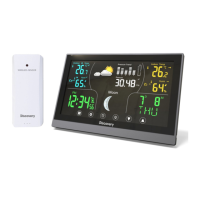
View weather forecast icons and graphical representation of moon phases on the display screen.
Press UP button to display historical maximum and minimum temperature and humidity readings.
Follow guidelines for cleaning, storage, operation, and battery safety to ensure proper use and longevity.
Details on the 2-year warranty for materials and workmanship, and 6-month for accessories.
 General
| Brand | Levenhuk |
|---|---|
| Model | Discovery Report WA20 |
| Category | Weather Station |
| Language | English |



 To Next Page