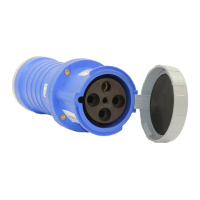
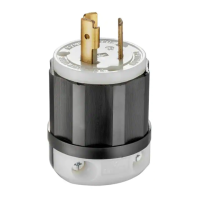
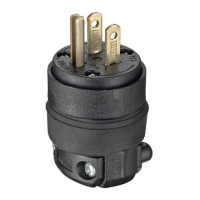
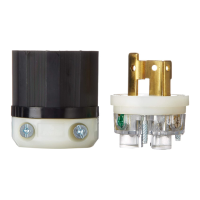
Watertight Pin and Sleeve
Plugs and Connectors
20A, 30A, 60A and 100A
QUICK INSTALL GUIDE
ENGLISH
PK-A3278-10-00-0A
WARNINGS
• TO AVOID FIRE SHOCK, OR DEATH, TURN OFF POWER AT CIRCUIT BREAKER OR FUSE,
TEST THAT POWER IS OFF BEFORE SERVICING OR WIRING and ensure connections are
made in the same sequence as existing device connections.
• These devices conform to IEC standard 60309-1 and 60309-2. The construction is such that
each device cannot be mated with another IEC device of different specifications (i.e., voltage,
amperage or system rating). For safety purposes, do not use a non-IEC device with these pin
and sleeve devices. The specifications for non-IEC devices are established by the individual
manufacturers, and may not meet IEC standards. IMPROPER MATING OF DEVICES MAY
CAUSE FIRE, SHOCK OR DEATH.
CAUTIONS
• Examine devices periodically for any foreign matter that may contaminate the contacts or the insulation material
separating the contacts. Contamination decreases the device’s insulation properties. This increases the
potential for arcing and possibly decreases the product’s life and may cause fire and/or shock hazard. The
frequency of inspection depends upon the degree of contamination.
• If you are unsure about any part of these instructions, consult an electrician.
• To be installed and/or used in accordance with electrical codes and regulations (Including NEC/CEC, as applicable).
• Use this device only with copper or copper clad wire.
© 2019 Leviton Mfg. Co., Inc.
20A and 30A Plug Installation 20A and 30A Connector Installation
housing
contact carrier
saddle
clamp
saddle
clamp screw
quick lock
pin
saddle clamp assembly
OR
screwless clamp assembly
dust shield
housing
contact carrier
1. Unscrew assembly and contact carrier.
assembly
screws
2. Thread wire.
Remove washer from housing, select grommet (Table 1) thread clamp assembly, washer, grommet and
housing onto selected wire (Table 3).
NOTE: If using screwless clamp assembly, select strain relief nut first (Table 2).
OR
strain relief
nut
washer
grommet
3. Wire.
Cut and strip cable jacket and conductors (Table 4).
W
ARNING: TO AVOID FIRE, SHOCK OR DEATH, connections must be made in the same sequence as
existing device connections.
Connect wires (Table 5 and Stripping and Wiring Diagram) and tighten terminal screws. NOTE: Reference
torque value (T
able 6). Allen key included.
quick lock
pin
housing
contact carrier
saddle clamp
saddle clamp
screw
saddle clamp assembly
OR
screwless clamp assembly
dust shield
housing
contact carrier
quick lock
pin
quick lock
pin
1. Unscrew assembly and contact carrier.
assembly
screws
OR
washer
grommet
2. Thread wire.
Remove washer from housing, select grommet (Table 1) thread clamp assembly, washer, grommet and
housing onto selected wire (Table 3).
NOTE: If using screwless clamp assembly, select strain relief nut first (Table 2).
strain relief
nut
3. Wire.
Cut and strip cable jacket and conductors (Table 4).
W
ARNING: TO AVOID FIRE, SHOCK OR DEATH, connections must be made in the same sequence as
existing device connections.
Connect wires (Table 5 and Stripping and Wiring Diagram) and tighten terminal screws. NOTE: Reference
torque value (T
able 6). Allen key included.
4. Reconnect contact carrier.
Tighten assembly screws (Table 6).
4. Reconnect contact carrier.
Tighten assembly screws (Table 6).
NOTE: Line up key with key notch.
NOTE: Line up key with key notch.
NOTE: fully engaged quick lock pin
5. Reassemble.
Slide grommet and washer down and seat firmly into housing. Slide saddle clamp assembly or screwless
clamp assembly onto housing and screw on until quick lock pin fully engages. Tighten clamp screws
(Table 6).
OR
OR
5. Reassemble.
Slide grommet and washer down and seat firmly into housing. Slide saddle clamp assembly or screwless
clamp assembly onto housing and screw on until quick lock pin fully engages. Tighten clamp screws
(Table 6).
NOTE: fully engaged quick lock pin


 To Next Page
 Need help?
 General