EasyManua.ls Logo

Leviton GreenMAX OSR15-MCW - User Manual

Leviton GreenMAX OSR15-MCW
2 pages
Print Icon
To Next Page IconTo Next Page
Loading...
Before Installation
Requires installation into 2-7/8 in. - 3-1/4 in. diameter (73.025mm - 82.55mm)
mounting hole.
Requires 4 in. (102mm) vertical clearance.
When installation requires conduit for class 2 LumaCAN wiring, drill 2-7/8 in.
opening into side of junction box, and, install j-box above ceiling directly
above sensor.
LumaCAN wiring requires Category rated cable for power and data.
Use Category 6 or better cable with quality RJ-45 connections. Wire per
TIA-568B standards.
For compliance with Chicago Plenum requirements, installation in metal box
above ceiling is required. See the 3rd bullet point above.
All LumaCAN wire segments must be tested and validated prior to power-up
of the system.
The end of each LumaCAN network must be terminated for proper data flow.
A termination plug is pre-installed into one of the RJ-45 receptacles for this
Occupancy Sensor Technology
and Application Notes:
This sensor uses microwave technology (5.8GHz frequency) to detect
motion. Microwaves are extremely sensitive, omni-directional and will
penetrate through most building construction materials. Microwaves do NOT
pass through metal and is the one material used to control the direction of
the microwave detection. When selecting a sensor location, ensure that
it is placed at least 6 ft away from any HVAC source as this technology is
sensitive to air movement.
The OSR15-MCW sensor uses PIR detection technology. This technology
uses a lens which establishes dozens of zones of detection. The sensor
is sensitive to the heat emitted by the human body. In order to trigger the
sensor, the source of heat must move from one zone of detection to another.
The device is most effective in sensing motion across its field-of-view, and
less effective sensing motion towards or away from its field-of-view. Keep this
in mind when selecting the installation location. Note that occupancy sensors
respond to rapid changes in temperature, so care should be taken not to
mount the device near a climate control source (i.e. radiators, air exchanges,
and air conditioners). Hot or cold drafts will look like body motion to the device
and will trigger it if the unit is mounted too close. It is recommended to mount
the Occupancy Sensor at least 6 ft. away from a climate control source.
In addition, it is also recommended NOT to mount the Occupancy Sensor
directly under a large light source. Large wattage bulbs (greater than 100W
incandescent) give off a lot of heat and switching the bulb causes a temperature
change that can be detected by the device. Mount the Occupancy Sensor at
least 6 ft. away from large bulbs. If it necessary to mount the device closer,
lower the wattage of the bulb directly overhead.
The field-of-view for this sensor is 750-1500 sq. ft. with the sensor located in the
middle of the desired detection area. Although the sensor provides full coverage
at maximum configured range, the field-of-view is more pronounced for half of
the detection area. The direction with the larger field-of-view is indicated by a
green dot on the inside face of the sensor. Please refer to the functional call out
diagram on the right.
WARNINGS
TO AVOID FIRE, SHOCK, OR DEATH; TURN OFF POWER AT CIRCUIT
BREAKER OR FUSE AND TEST THAT POWER IS OFF BEFORE WIRING!
To be installed and/or used in accordance with appropriate electrical codes
and regulations.
If you are unsure about any part of these instructions, consult an electrician.
CAUTIONS
ESD Sensitive Device: Use Safe handling procedures when installing.
For indoor applications only.
Save these instructions.
GreenMAX
®
DRC Sensor
Cat. No. OSR15-MCW
INSTALLATION AND QUICK START SHEET
ENGLISH
DI-000-OSR15-04B
SPECIFICATIONS
Input Voltage +12-24VDC, 90-45mA
IP Rating IP30
Network Connections
(2) RJ-45 Cat 6 or better for connection to LumaCAN network
1600’ Max Length per Daisy-Chain Segment.
Home-Run topology supported when using repeaters
Network length may be extended when using repeaters
Note: Pass-through RJ-45 connectors are prohibited from use on
Leviton project. Use of this connector style both voids all warranties
and voids any promise of product suitability of operation.
Operating Temperature 0-55°C, 0-85% relative humidity
Storage Temperature -10-85°C
Sensor Range 1500 sq. ft.
Sensor Technology PIR + Microwave + Photocell
Warmup Time 15 seconds
Patents
Patents covering this product, if any, can be found on
leviton.com/patents
Product Description
This GreenMAX DRC Sensor is a direct network connected device which can
detect both Occupancy and Light level within its specified range. It reports
data using LumaCAN™ Sensor messages over the network, for receipt by any
Sapphire or GreenMAX DRC Room Controller.
LumaCAN
ON
PWR COM
ADDR
12345678
P1
P2
TERM
A
D
F
G
E
B
C
H
LumaCAN
COMPWR
P1
P2
TERM
ADDR
12345678
Reference
A. LumaCAN connections
B. Power indicator light
- Normal operation: SOLID [ON]
C. LumaCAN communication indicator light
- Normal operation: blinks when tx/rx LumaCAN communication is occuring.
D. Addressing DIP switches
E. Termination switch: [ON] to terminate (not used). Activating termination switch
when using plug will over-terminate the network and cause loss of data.
F. P1 universe programming DIP switch
G. P2 channel programming DIP switch
H. Occupancy sensor, light level sensor and occupancy indicator light
- Flashes: each time occupancy is detected
- Two blinks followed by pause (and repeat): when sensor does not have
an address assigned
- Occupancy: blinks RED when detected. When sensor does not have an
address assigned, it repeats two rapid blinks, followed by a pause.
Dot on side of
sensor indicates
centralized direction
of more pronounced
field-of-view
purpose. If this is the end of the network, only one of the RJ-45 receptacle will
be used. Leave the termination plug in the unused RJ-45 receptacle. If this is in
the middle of the network, both RJ-45 receptacles will be required. Remove and
discard the termination plug. If you have misplaced your termination plug, you
can terminate the end-of-run device by turning "on" the termination switch (E).

WEB VERSION
Question and Answer IconNeed help?

Do you have a question about the Leviton GreenMAX OSR15-MCW and is the answer not in the manual?

Overview

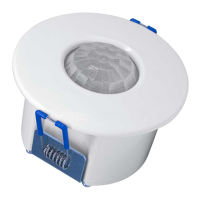
The GreenMAX® DRC Sensor (Cat. No. OSR15-MCW) is a direct network-connected device designed to detect both occupancy and light levels within its specified range. It communicates data using LumaCAN™ Sensor messages over the network, which are then received by a Sapphire or GreenMAX DRC Room Controller.

Function Description:

The sensor integrates two primary detection technologies: microwave and Passive Infrared (PIR).

  • Microwave Technology: This technology operates at 5.8GHz and is highly sensitive, omni-directional, and capable of penetrating most building construction materials. It detects motion by emitting microwaves and analyzing changes in the reflected signals. It's crucial to note that microwaves do not pass through metal, which can be used to control the direction of detection. When installing, the sensor should be placed at least 6 feet away from any HVAC sources, as this technology is sensitive to air movement.
  • PIR Detection Technology: The PIR sensor utilizes a lens to establish multiple detection zones. It is sensitive to the heat emitted by the human body and triggers when a heat source moves from one detection zone to another. The device is most effective at sensing motion across its field-of-view and less effective when motion is directly towards or away from it. Similar to microwave technology, PIR sensors respond to rapid temperature changes, so they should not be mounted near climate control sources (e.g., radiators, air exchanges, air conditioners) or directly under large light sources (incandescent bulbs greater than 100W) that emit significant heat. A minimum distance of 6 feet from such sources is recommended. If closer mounting is necessary, the wattage of the overhead bulb should be reduced.

The sensor's field-of-view is between 750-1500 sq. ft., with the sensor positioned in the middle of the desired detection area. While it provides full coverage at its maximum configured range, the field-of-view is more pronounced for half of the detection area. A green dot on the inside face of the sensor indicates the direction with the larger field-of-view.

Important Technical Specifications:

  • Input Voltage: +12-24VDC, 90-45mA
  • IP Rating: IP30
  • Network Connections: Two RJ-45 Cat 6 or better ports for LumaCAN network connection. Supports a maximum daisy-chain segment length of 1600 feet. Home-run topology is supported when using repeaters, and network length can be extended with repeaters. It's important to note that pass-through RJ-45 connectors are prohibited on Leviton projects, as their use voids all warranties and product suitability.
  • Operating Temperature: 0-55°C, 0-85% relative humidity
  • Storage Temperature: -10-85°C
  • Sensor Range: 1500 sq. ft.
  • Sensor Technology: PIR + Microwave + Photocell
  • Warmup Time: 15 seconds
  • Mounting Hole: Requires a 2-7/8 in. - 3-1/4 in. (73.025mm - 82.55mm) diameter mounting hole.
  • Vertical Clearance: Requires 4 in. (102mm) vertical clearance.
  • Conduit Installation: If conduit is required for Class 2 LumaCAN wiring, a 2-7/8 in. opening should be drilled into the side of the junction box, and the j-box installed above the ceiling, directly above the sensor.
  • Wiring: LumaCAN wiring requires Category rated cable for power and data. Category 6 or better cable with quality RJ-45 connections, wired per TIA-568B standards, is recommended. For Chicago Plenum requirements, installation in a metal box above the ceiling is mandatory.

Usage Features:

  • LumaCAN Addressing: All devices on a LumaCAN network require a unique address, and sensors require a unique input. The device supports auto-addressing and auto-configuration, which is the preferred method. A GreenMAX DRC Room Controller will assign a unique address to all devices. For auto-addressing to work, all DIP switches must be set to OFF. The indicator LED will blink when the device has no address and will stop blinking when a valid address is assigned.
  • Manual Input Number Assignment (Optional): If manual addressing is preferred, the DIP switches can be used to program the universe and input numbers. Each sensor requires a unique input number, which the network controller(s) use to track sensor activity. The occupancy sensor will have the assigned input number, and the photocell will have the next sequential number (e.g., if the occupancy sensor is 1, the photocell is 2). Valid universe numbers range from 0-127, resulting in an input number range of 1-32,768.
    • To set the Universe Number: Set DIP switch P1 to ON. The PWR indicator will blink rapidly. Set DIP switches 1-8 to the required universe number. For input numbers between 1-256, set all to 0's. Set DIP switch P1 to OFF. The PWR indicator will turn off, indicating data saving, then resume normal operation.
    • To set the Input Number: Set DIP switch P2 to ON. The COM indicator will blink rapidly. Set DIP switches 1-8 to the required input number. Set DIP switch P2 to OFF. The COM indicator will turn off, indicating data saving, then resume normal operation.
  • Manual Address Assignment (Optional): Set DIP switches 1-8 to the desired LumaCAN address. A unique LumaCAN address ID must be set for each LumaCAN device. The first 8 switches of the DIP switch are used for setting the ID. During operation, P1 and P2 must be in the off position. Valid node addresses are 1-250.
  • Termination: The end of each LumaCAN network must be terminated for proper data flow. A termination plug is pre-installed into one of the RJ-45 receptacles. If the device is at the end of the network, only one RJ-45 receptacle will be used, and the termination plug should remain in the unused receptacle. If the device is in the middle of the network, both RJ-45 receptacles are required, and the termination plug should be removed and discarded. If the termination plug is misplaced, the end-of-run device can be terminated by turning "on" the termination switch (E).

  • Indicator Lights:
    • Power Indicator Light (B): Solid ON during normal operation.
    • LumaCAN Communication Indicator Light (C): Blinks when tx/rx LumaCAN communication is occurring during normal operation.
    • Occupancy Sensor, Light Level Sensor, and Occupancy Indicator Light (H):
      • Flashes each time occupancy is detected.
      • Two blinks followed by a pause (and repeat) when the sensor does not have an address assigned.
      • Occupancy: blinks RED when detected. When the sensor does not have an address assigned, it repeats two rapid blinks, followed by a pause.

Maintenance Features:

  • Installation: The sensor is installed by retracting spring arms and inserting it into the mounting hole. Releasing the spring arms secures the sensor.
  • Wiring Validation: All LumaCAN wire segments must be tested and validated prior to system power-up.
  • Troubleshooting: If the equipment causes harmful interference to radio or television reception, measures such as reorienting the receiving antenna, increasing separation between equipment and receiver, or connecting the equipment to a different circuit can be taken.

Leviton GreenMAX OSR15-MCW Specifications

General IconGeneral
BrandLeviton
ModelGreenMAX OSR15-MCW
CategorySecurity Sensors
LanguageEnglish

Related product manuals