
EasyManua.ls Logo

Levo C3 - User Manual

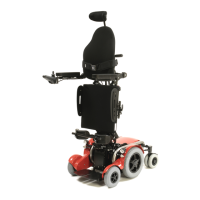
Levo C3
52 pages
Print Icon
To Next Page IconTo Next Page
Loading...
User Manual
LEVO C
3
Please read these User Instructions carefully before operating your
wheelchair! Failure to follow these instructions can result in serious
personal injury and/or damage to the wheelchair! This is a type-approved
medical device. Alterations to the construction or electronics will void the
warranty and the product liability.
In case of difficulty please contact:
Manufacturer: Agent:
LEVO AG
ANGLIKERSTRASSE 20
TEL +41 (0)56 618 44 11
OFFICE@LEVO.CH
SWITZERLAND
CH-5610 WOHLEN
FAX +41 (0)56 618 44 10
WWW.LEVO.CH
LEVO AG
Anglikerstrasse 20
CH-5610 Wohlen
Tel:+41 (0)56 618 44 11
office@levo.ch
www.levo.ch

Table of Contents

Questions and Answers

  • V
    Victoria PerezJul 29, 2025
    What to do if the motors turn on and the battery indicator lights up but my Levo C3 won't drive?
    • B
      Brittany KaiserJul 29, 2025
      If the motors turn, and the battery level indicator lights up, but your Levo Wheelchair doesn't move, try pushing the motor disengaging lever upwards and charge the batteries.
  • K
    Kristopher LyonsAug 4, 2025
    What to do if the battery level indicator flashes slowly on my Levo C3 Wheelchair?
    • L
      Linda HillAug 4, 2025
      If the battery level indicator on your Levo Wheelchair is flashing slowly, the solution is to charge the battery.
  • M
    Michael MooreAug 9, 2025
    How to fix a Levo Wheelchair when the battery level indicator does not light up?
    • G
      Gregory AndersonAug 9, 2025
      If the battery level indicator does not light up on your Levo Wheelchair, try the following: * Switch on the ON/OFF switch. * Insert a fuse or switch on the safety cut out. * Unplug the charging plug. * Replace the battery. If it still doesn't work, consult a LEVO agent.
  • A
    Alicia SerranoAug 16, 2025
    Why is the LED light orange on my Levo C3?
    • J
      James FletcherAug 16, 2025
      If the LED light on your Levo Wheelchair is orange, it could mean the charger is not connected. Try connecting the battery to the charger.
  • J
    Jacob EdwardsAug 21, 2025
    What does it mean when the battery level indicator blinks every 2.5 seconds on my Levo Wheelchair?
    • M
      Mr. Ronnie PattersonAug 21, 2025
      If the battery level indicator on your Levo Wheelchair blinks every 2.5 seconds, the joystick module is in sleep mode. To restart, switch it off and then on again.

Summary

Safety Instructions

General Safety Instructions

Emphasizes reading and following all manual instructions for user safety.

Operation Guidelines

Key operational guidelines, including joystick use and electromagnetic emissions.

Driving Safely

Advice on safe driving practices, including terrain, visibility, and passenger policy.

Stand-up Function Precautions

Precautions and conditions for safely using the stand-up feature.

Safety Belt System Use

Importance of correct mounting and use of knee support and chest belt.

Preparing Wheelchair for Use

Control Unit Functions

6.1. VR2 Control System Overview

Overview and operation of the VR2 control unit, its buttons, and indicators.

6.1.3. VR2 Joystick Operation

Operation of the VR2 joystick for controlling direction, speed, and seat actuators.

6.1.5. VR2 Seat Position Control

Instructions for activating stand-up function and 'Tilt in space' option on VR2.

6.2. R-net Control System (Option)

6.2.3. R-net Joystick Operation

Operation of the R-net joystick for controlling direction, speed, and seat actuators.

6.2.5. R-net Seat Position Control

Instructions for activating stand-up function and 'Tilt in space' option on R-net.

Electromagnetic Interference (EMI)

Driving the Wheelchair

Inclinations, Brakes, and Charging

Permissible Inclinations and Stability

Presents TÜV-tested results for static stability on various inclines.

Safety Harness Components

Knee Support Adjustment

Details on the knee support, its types, and adjustment.

9.2. Chest Strap Fitting

Instructions on how to fix, adjust, and secure the chest strap.

Transfer Procedures

Individual Settings

11.1. Seat Depth Adjustment

Detailed steps for adjusting the seat depth using levers and screws.

11.2. Seat Width Adjustment

Process for changing the seat width, including removing and refitting the seat plate.

Transportation of Wheelchair

13.3. Vehicle Transport (With Occupant)

Information and dangers related to transporting the user in the wheelchair.

13.3.1. Securing with WTORS System

Detailed instructions for using WTORS for securing the wheelchair and occupant.

13.3.2. Occupant Restraint Instructions

Guidelines for safely restraining the occupant within the wheelchair during transport.

Cleaning Procedures

Maintenance and Safety Checks

15.3. Safety Checks

Periodic safety checks to be performed by the user.

15.3.1. Daily Checks

Daily checks to ensure the joystick is functional and undamaged.

15.3.2. Weekly Checks

Weekly checks for the solenoid brake, connectors, gaiter, and mounting.

Trouble Shooting

VR2 Controller Self Help Guide

R-net Controller Self Help Guide

Technical Information

Levo C3 Specifications

General IconGeneral
BrandLevo
ModelC3
CategoryWheelchair
LanguageEnglish