EasyManua.ls Logo

LEXIBOOK POWERMAN MAX - User Manual

LEXIBOOK POWERMAN MAX
2 pages
Print Icon
To Next Page IconTo Next Page
Loading...
PACKAGING CONTENTS
INSTRUCTION MANUAL
ROB80EN
When opening the product’s packaging, please ensure that the following elements are included:
WARNING : All packaging materials, such as tape, plastic sheets, wire ties and tags are not part of this toy
and should be discarded for your child’s safety.
POWERMAN
®
MAX IS YOUR ALL-NEW INTERACTIVE AND
EDUCATIONAL ROBOT WITH A SENSE OF HUMOUR! CONTROL
HIM WITH THE REMOTE CONTROL AND THE KEYS LOCATED ON
HIS CONTROL PANEL TO UNLOCK HOURS OF FUN!
WARNING : Malfunction or loss of memory may be caused by strong frequency interference or
electrostatic discharge. Should any abnormal function occur, remove the batteries and insert them again.
Non-rechargeable batteries are not to be recharged. Rechargeable batteries are to be removed from the
toy before being charged. Rechargeable batteries are only to be charged under adult supervision. Differ-
ent types of batteries or new and used batteries are not to be mixed. Only batteries of the same or equiv-
alent type as recommended are to be used. Batteries are to be inserted with the correct polarity.
Exhausted batteries are to be removed from the toy. The supply terminals are not to be short-circuited.
Do not throw batteries into a fire. Remove the batteries if you are not going to use the toy for a long
period of time. Batteries shall not be exposed to excessive heat such as sunshine, fire or the like.
Note : Switch off the power before replacing batteries. Use only alkaline batteries, other type of batteries
may affect the performance.
The robot operates with
5 x 1.5V AA/LR6 batteries (not included)
ROBOT:
Battery installation or replacement
1. Use a screwdriver to loosen the screw on the battery compartment located at the
back of the robot.
2. Install or replace 5 x AA/LR6 batteries, observing the polarity indicated at the
bottom of the battery compartment, and as per the diagram shown opposite.
3. Close the battery compartment and tighten the screw.
REMOTE CONTROL:
Battery installation or replacement
1. Use a screwdriver to loosen the screw on the battery compartment located at the
back of the remote control.
2. Install or replace 2 x AA/LR6 batteries, observing the polarity indicated at the
bottom of the battery compartment, and as per the diagram shown opposite.
3. Close the battery compartment and tighten the screw.
The remote control operates with
2 x 1.5V AA/LR6 batteries (not included)
1 x remote control 9 x foam disc 1 x instruction manual1 x POWERMAN
®
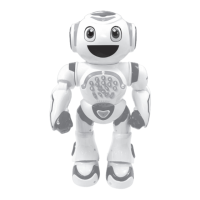
MAX robot
IM code: ROB80EN_IM2220
MY NAME IS POWERMAN
®
MAX! THE MOST EVOLVED
SPACE ROBOT!
I'M A MARVEL OF TECHNOLOGY THAT IS
PROGRAMMABLE, INVENTS YOUR OWN STORIES, AND
INCLUDES THE ULTIMATE EDUCATIONAL CONTENT TO
LEARN AND HAVE FUN!
I ALSO LIKE TO DANCE, TELL HILARIOUS JOKES AND
SHOOT FOAM DISCS ALL OVER THE PLACE!
MY SPACESHIP WAS DAMAGED WHEN I APPROACHED
YOUR PLANET. WELL, YOU MAY ASK WHY I WOULD
WANT TO COME HERE, RIGHT? I DON'T KNOW...
IT LOOKED LIKE A FUN PLACE WITH GREAT PEOPLE
LIKE YOU!
CAN YOU HELP ME REPAIR MY SHIP AND GO BACK
HOME? GREAT, BUT BEFORE WE NEED TO LEARN
TOGETHER!
ARE YOU READY?
Remote
THE PROGRAMMABLE EDUCATIONAL ROBOTTHE PROGRAMMABLE EDUCATIONAL ROBOTTHE PROGRAMMABLE EDUCATIONAL ROBOTTHE PROGRAMMABLE EDUCATIONAL ROBOTTHE PROGRAMMABLE EDUCATIONAL ROBOT
Robot
Environmental Protection:
Unwanted electrical appliances can be recycled and should not be discarded along with regular
household waste! Please actively support the conservation of resources and help protect the
environment by returning this appliance to a collection centre (if available).
MAINTENANCE AND WARRANTY
Follow us
@LexibookCom
BATTERY REQUIREMENTS
Only use a soft, slightly damp cloth to clean the unit. Do not use detergent. Do not to expose the
unit to direct sunlight or any other heat source. Do not immerse the unit in water. Do not dismantle
or drop the unit. Do not try to twist or bend the unit.
This product is covered by our 2-year warranty.
For any claim under the warranty or after-sales service, please contact your distributor and present
a valid proof of purchase. Our warranty covers any manufacturing material and workmanship defect,
with the exception of any deterioration arising from the non-observance of the instruction manual or
from any careless action implemented on this item (such as dismantling, exposing to heat and
humidity, etc.). It is recommended to keep the packaging for any further reference.
In a bid to keep improving our services, we could implement modifications on the colours and the
details of the product shown on the packaging.
WARNING! Not suitable for children under 3 years. Choking hazard – Small parts.
NOTE: Please keep this instruction manual, it contains important information.
Reference: ROB80EN
Designed and developed in Europe – Made in China
Lexibook S.A.
6 avenue des Andes
Bâtiment 11
91940 Les Ulis
France
www.lexibook.com – © Lexibook®
United Kingdom & Ireland
For after-sales service, please contact us at savcomfr@lexibook.com
ROB80EN_IM 339
A3, 297 x 420 mm
C
M
Y
CM
MY
CY
CMY
K
ROB80EN_IM2220_339_V04.pdf 1 29/5/2020 4:48 PM
Question and Answer IconNeed help?

Do you have a question about the LEXIBOOK POWERMAN MAX and is the answer not in the manual?

Summary

Battery Requirements

ROBOT: Battery Installation

Instructions for installing batteries in the robot, including screw usage and polarity.

REMOTE CONTROL: Battery Installation

Instructions for installing batteries in the remote control, including screw usage and polarity.

Maintenance and Warranty

General Maintenance

How to clean the robot and avoid damage from water, heat, or sunlight.

Warranty Information

Details about the product's 2-year warranty, claims, and keeping packaging.

Age and Choking Hazard Warning

Crucial safety warning that the product is not suitable for children under 3 years due to small parts.

Discover Powerman Max

Remote Control Overview

Diagram and description of remote control functions for movement, voice, dance, jokes, programming, and sleep mode.

Control Panel Overview

Diagram and description of the robot's control panel buttons for lights, volume, music, stories, and karaoke.

Directional Keys

How to use the directional keys on the remote control to move the robot's head and body.

Special Functions

Explanation of foam disc shooting, voice change, dances, jokes, and programming features.

Lights and Volume Control

How to turn the robot's lights on/off and adjust the sound volume.

Voice Recorder and Karaoke

Instructions for using the voice recorder and the karaoke function with music.

Educational Activities

Guide to launching and interacting with 6 different educational activities like quizzes and challenges.

Music and Stories

How to play music and select or create stories using the robot's functions.

Sleep Mode

How to enter and exit sleep mode to conserve power, and when to use the ON/OFF switch.

Summary

Battery Requirements

ROBOT: Battery Installation

Instructions for installing batteries in the robot, including screw usage and polarity.

REMOTE CONTROL: Battery Installation

Instructions for installing batteries in the remote control, including screw usage and polarity.

Maintenance and Warranty

General Maintenance

How to clean the robot and avoid damage from water, heat, or sunlight.

Warranty Information

Details about the product's 2-year warranty, claims, and keeping packaging.

Age and Choking Hazard Warning

Crucial safety warning that the product is not suitable for children under 3 years due to small parts.

Discover Powerman Max

Remote Control Overview

Diagram and description of remote control functions for movement, voice, dance, jokes, programming, and sleep mode.

Control Panel Overview

Diagram and description of the robot's control panel buttons for lights, volume, music, stories, and karaoke.

Directional Keys

How to use the directional keys on the remote control to move the robot's head and body.

Special Functions

Explanation of foam disc shooting, voice change, dances, jokes, and programming features.

Lights and Volume Control

How to turn the robot's lights on/off and adjust the sound volume.

Voice Recorder and Karaoke

Instructions for using the voice recorder and the karaoke function with music.

Educational Activities

Guide to launching and interacting with 6 different educational activities like quizzes and challenges.

Music and Stories

How to play music and select or create stories using the robot's functions.

Sleep Mode

How to enter and exit sleep mode to conserve power, and when to use the ON/OFF switch.

Overview

This document describes the Powerman® Max, an interactive and educational robot designed to provide hours of fun and learning. Powerman® Max is a programmable robot with a sense of humor, capable of being controlled via a remote control and buttons on its control panel. It is marketed as the "most evolved space robot," capable of inventing stories, providing educational content, dancing, telling jokes, and shooting foam discs.

Function Description

Powerman® Max is designed to be a versatile educational and entertainment robot. Its core functions include:

  • Programmability: Users can create and record programs of up to 40 actions using the remote control keys. Music can be added to programs, and programs can be saved and played back.
  • Educational Content: The robot offers several educational activities accessible via its control panel:
    • The Champions Quiz: Tests math and general knowledge with riddles, requiring numerical answers (0-9).
    • Animal Sounds: Reproduces animal sounds for imitation.
    • The Animal Quiz: Tests knowledge of animal sounds, requiring a clap for the correct answer.
    • The Musical Instrument Quiz: Tests knowledge of musical instruments, requiring a clap for the correct answer.
    • The Location Quiz: Tests recognition of sounds from various places, requiring a clap for the correct answer.
    • Challenges Between Friends: Offers challenges to be completed within 15 seconds, encouraging interaction with others.
  • Interactive Entertainment:
    • Voice Recorder: Records and repeats spoken phrases.
    • Karaoke: Records and repeats spoken phrases with a selected melody (1-7).
    • Dancing: Performs various dance routines.
    • Jokes & Surprises: Tells jokes and plays surprise sounds.
    • Foam Disc Shooting: Shoots foam discs from its ejector.
    • Music & Stories: Plays music and offers two story modes:
      • Aesop's Fables: Recites one of 10 fables, selectable by number (0-9).
      • The Story Maker: Allows users to create funny and crazy stories by pressing four numbers (0-9), offering 10,000 combinations.
  • Movement: The robot can move forward, backward, turn left and right, and turn its head left and right. It can also take steps or slide for longer distances.
  • Lights and Volume Control: The robot has LED lights that can be turned on or off, and its sound volume can be adjusted (Low > Normal > High).

Usage Features

Powerman® Max is operated primarily through a remote control and buttons on its chest control panel.

Remote Control: The remote control features directional keys for head and body movement (left, right, forward, backward), a button for changing voice, and dedicated buttons for throwing foam discs, dancing, jokes & surprises, stopping/waking up, creating programs, and playing programs. If the remote control responds intermittently or only from a close distance, its batteries may need replacement.

Control Panel (Chest): The robot's chest features answer keys (0-9) for quizzes and shortcuts for stories and music. It also has LED lights, volume control, music and stories buttons, a voice recorder button, a karaoke button, and buttons for educational activities. Similar to the remote, if the robot responds intermittently, its batteries may need replacement.

Battery Installation and Replacement: Both the robot and the remote control require batteries. For the robot, five AA/LR6 batteries are needed, and for the remote control, two AA/LR6 batteries are needed. Battery compartments are secured with screws. Users must observe correct polarity during installation. It is crucial to switch off the power before replacing batteries and to use only alkaline batteries for optimal performance. Non-rechargeable batteries should not be recharged, and rechargeable batteries must be removed from the toy before charging, always under adult supervision. Mixing different types of batteries or new and used batteries is not recommended. Exhausted batteries should be removed, and supply terminals should not be short-circuited. Batteries should not be disposed of in fire or exposed to excessive heat.

Programming: To create a program, users press the "P+" button on the remote, then record actions by pressing any desired keys. Music can be integrated by pressing the music button or numbers on the chest. Programs are saved by pressing "P-" and can be played back by pressing "P.". Any new program or robot restart will erase the current program.

Sleep Mode: The robot has a sleep mode, activated by a dedicated button or automatically after a period of inactivity, to conserve power. This mode is suitable for short breaks. For longer periods of non-use, it is recommended to use the ON/OFF switch.

Important Usage Notes:

  • When using educational activities 3, 4, and 5 (Animal Quiz, Musical Instrument Quiz, Location Quiz), the robot is sensitive to noise, so a quiet environment is recommended.
  • The head can sometimes struggle to turn or get stuck. If this occurs, gently turn it by hand towards the stuck side by about 45 degrees.
  • When shooting foam discs, users are warned not to aim at eyes or face, to use only the provided discs, and not to load more than nine discs into the compartment.

Maintenance Features

Maintaining Powerman® Max is straightforward, focusing on basic cleaning and careful handling to ensure longevity.

Cleaning: Only a soft, slightly damp cloth should be used to clean the unit. Detergents are not recommended.

Handling Precautions:

  • Avoid exposing the unit to direct sunlight or any other heat source.
  • Do not immerse the unit in water.
  • Do not dismantle or drop the unit.
  • Do not try to twist or bend the unit.

Warranty: The product comes with a 2-year warranty covering manufacturing material and workmanship defects. This warranty does not cover deterioration resulting from non-observance of the instruction manual or careless actions such as dismantling, exposure to heat, or humidity. Users are advised to keep the packaging for future reference. For warranty claims or after-sales service, contact the distributor with a valid proof of purchase.

Environmental Protection: Unwanted electrical appliances should be recycled and not discarded with regular household waste. Users are encouraged to support resource conservation and environmental protection by returning the appliance to a collection center if available.

General Warnings: The product is not suitable for children under 3 years due to choking hazards from small parts. The instruction manual contains important information and should be kept. The manufacturer reserves the right to implement modifications to the product's colors and details to improve services.

LEXIBOOK POWERMAN MAX Specifications

General IconGeneral
CategoryRobotics
ModelPOWERMAN MAX
ManufacturerLexibook
Remote ControlYes
ProgrammableYes
Voice InteractionYes
Sound EffectsYes
Light EffectsYes
Battery4 x AA/LR6 batteries (not included)
Remote Control Battery2 x AAA batteries (not included)
LanguagesEnglish, French, Spanish

Related product manuals