Copyright © Lexibook 2004
5
English
Sending a call Tone
A call tone alerts others you want to talk. To send a call tone to other radios in your Group, press .
Scanning Channel
Use scanning to monitor channels and codes for transmissions, or to find someone in your group who has
accidentally changed channels.
• Press until and flashing
Y or - display.
• Press or until
YY
displays to turn scanning on.
• Press or until
--
displays to turn scanning off.
• Press to confirm.
When radio detects channel activity, it stops scanning and you can hear the transmission. To respond, press
within 5 seconds.
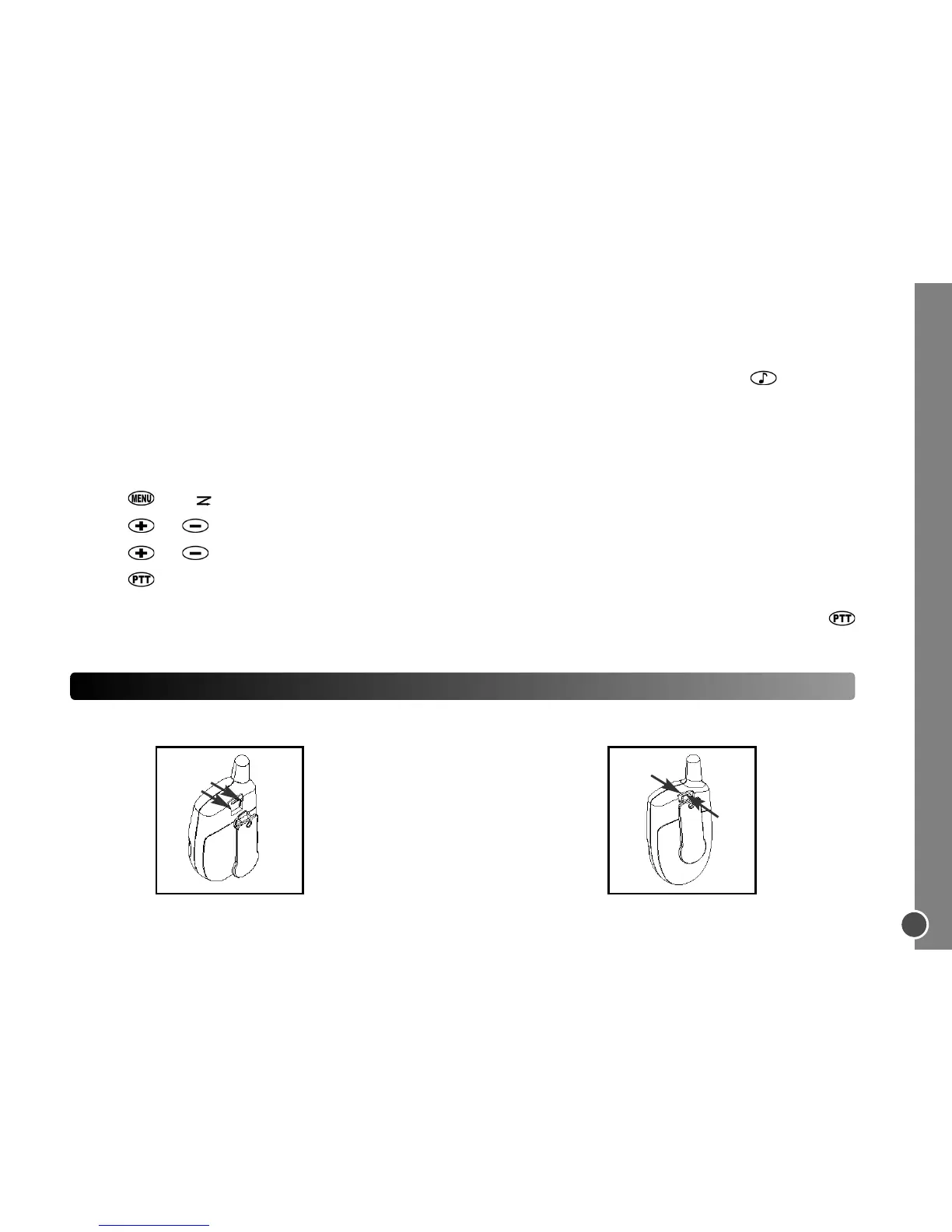
ATTACHING THE BELT CLIP (included)
Hook the belt clip into the notch at the
top of the radio and slide down until it
clicks into place.
To remove, squeeze the release latch
together and slide the clip up and
away from the radio.



 To Next Page