EasyManua.ls Logo

Lexicon RV-5 - Page 30

Lexicon RV-5
202 pages
Print Icon
To Next Page IconTo Next Page
To Previous Page IconTo Previous Page
Loading...
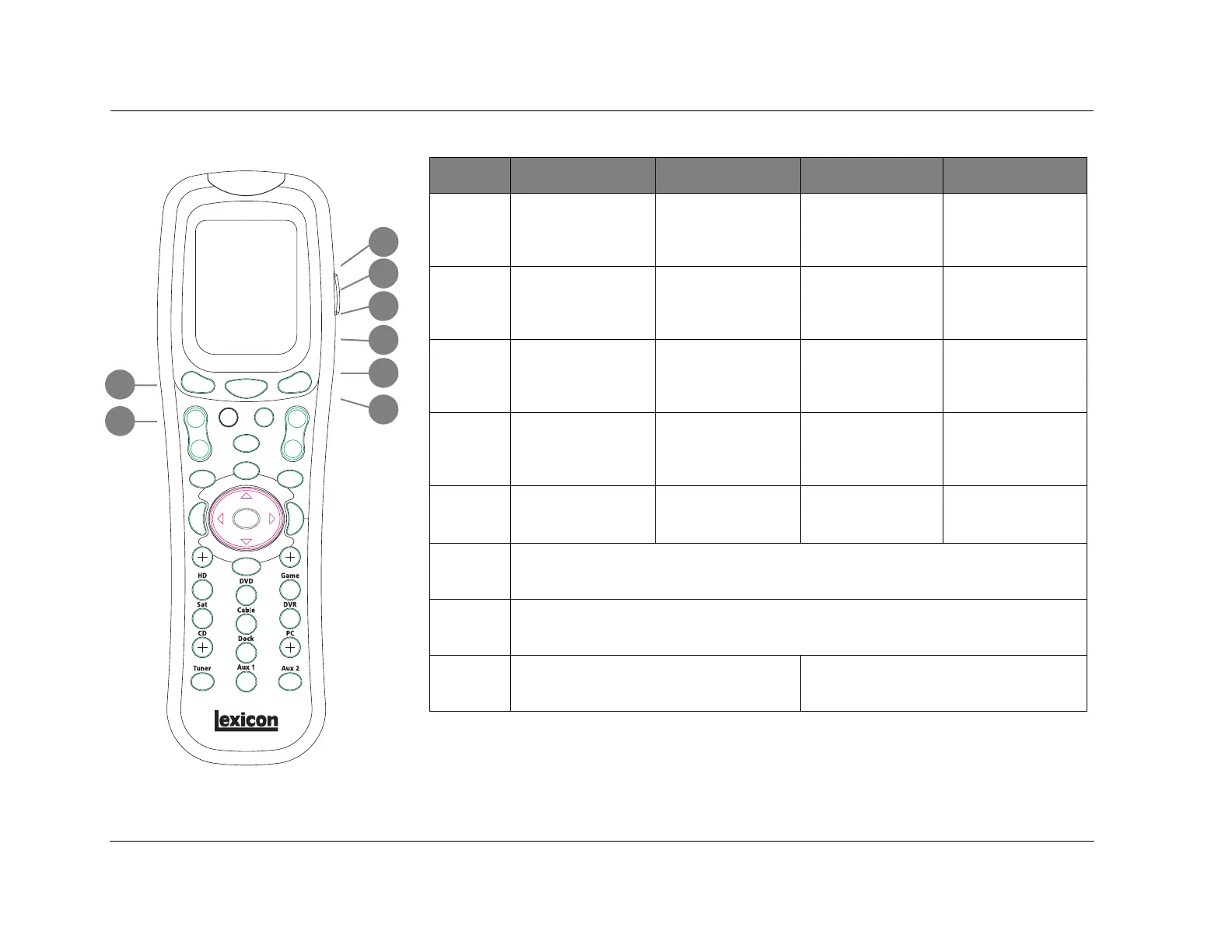
Basic Operation Lexicon
2-20
BUTTON ZONE3 PAGE1 ZONE3 PAGE2 DVD1 PAGE1 DVD1 PAGE2
9
Selects the VCR input
for Zone 3.
Increases the AUDIO
CONTROLS menu BASS
parameter in .5dB
increments.
Closes certain Setup
menus without saving
the changes.
Activates and deacti-
vates the RT-10 or
RT-20 rear- panel video
output connectors.
10
Selects the TV input for
Zone 3.
Increases the AUDIO
CONTROLS menu
TREBLE parameter in
.5dB increments.
Activates the RT-10 or
RT-20 display mode.
Controls the brightness
of front-panel display
characters.
11
Selects the CD input for
Zone 3.
Increases the AUDIO
CONTROLS menu Main
Zone TILT EQ parameter
level in .2dB increments.
Opens the RT-10 or
RT-20 Subtitle bar.
Activates the RT-10 or
RT-20 search mode.
12
Selects the Phono input
for Zone 3.
Activates the AUDIO
CONTROLS menu Main
Zone LOUDNESS
parameter.
Opens the RT-10 or
RT-20 Audio bar.
Activates the RT-10 or
RT-20 program mode.
13
Displays Zone 3 Page 2
command bank.
Displays Zone 3 Page 1
command bank.
Displays DVD1 Page 2
command bank.
Displays DVD1 Page 1
command bank.
14
Displays the Home command bank.
15
Scrolls through Favorite Channel pages.
16
Increases Zone 3 volume level in 1dB increments Increases RV-5 Main volume level in 1dB
increments
9
13
16
10
11
12
14
15

Other manuals for Lexicon RV-5

Related product manuals