Lexicon Studio Setup Guide
3
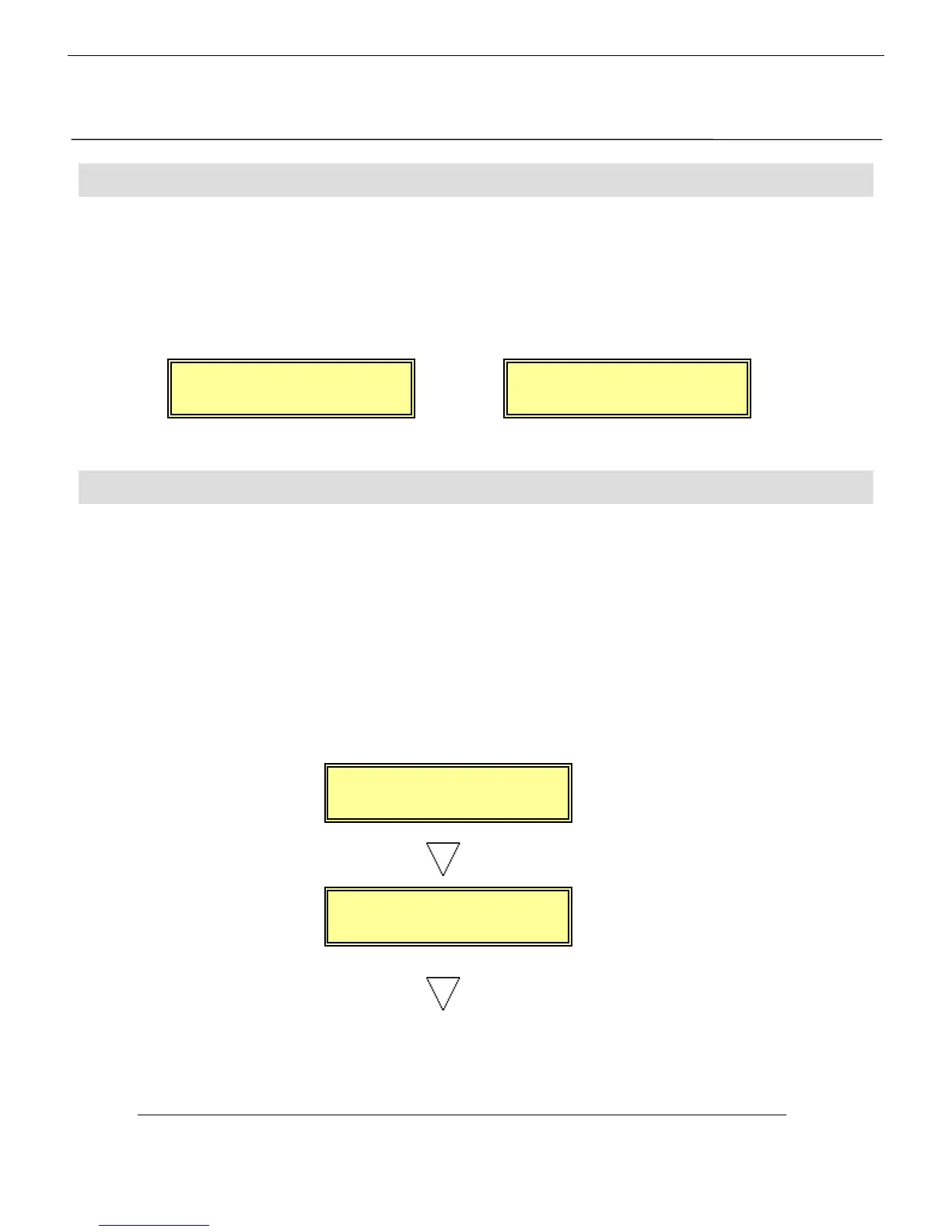
To configure the Digital 328 as the wordclock master, enter the 328 Menu pages by pressing the
<MENU> button on the right hand side of the LCD display. Using the encoder beneath the
display, scroll up or down until the ‘Clock Source Sel’ menu is highlighted, and press <ENTER>.
Here, either the internal 44.1kHz clock or the internal 48kHz clock must be selected, depending
on the sampling rate at which work is to be done. Press <ENTER> to set the sample rate and
<MENU> to return to the menu pages.
To ensure that the Digital 328 Tape Ports are set to ADAT to work with the Lexicon Studio LDI-
12T, enter the 328 Menu pages by pressing the <MENU> button on the right hand side of the
LCD display. Using the encoder beneath the display, scroll up or down until the ‘Tape Port Select’
menu is highlighted. Press <ENTER> and keep pressing the Up cursor arrow until the
‘<Tape Ch17-24 >’ menu page is displayed. Using the encoder set the Bank Source to ADAT.
Press the Down cursor arrow once, to set the wordlength. The Lexicon Studio LDI-12T is capable
of 24-bit recording, and so for optimum results, 24-bit wordlength can be selected here. If your
audio sequencer software does not allow 24-bit recording, 20-bit or 16-bit should be selected.
The sequencer manuals should be consulted for further information. The wordlength is set on
the 328 with the encoder. Press <ENTER> to set the wordlength and <MENU> to return to
the menu pages.
or
c
oc
rc.
Internal:44.1kHz
or
c
oc
rc.
Internal:48.0kHz
ape
-
Bank Source:ADAT
or
<Tape Ch17->24 >
Wordlen
th: 24
Digital 328 Setup
Digital 328 SetupDigital 328 Setup
Digital 328 Setup
2
Wordclock
WordclockWordclock
Wordclock
Tape Ports
Tape PortsTape Ports
Tape Ports


 To Next Page