03
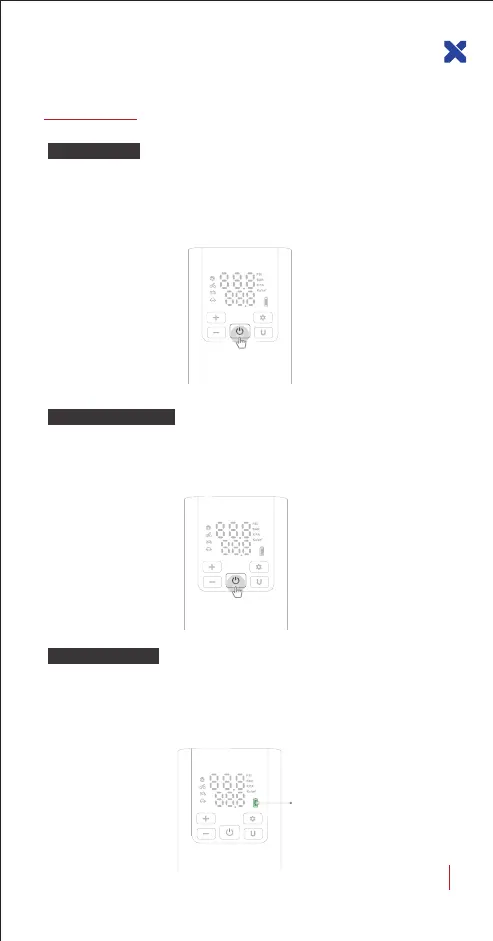
Power On: Press and hold the power button for 3 seconds to turn on
the air pump.
Power Off: Press and hold the power button for 3 seconds to turn off
the air pump.
Power On/Off
Basic Operation
Press and hold for
3 seconds to power on
In the power-on state, short press the power button to start inflate,
and it will automatically stop inflating when the preset air pressure
value is reached.
Method of Pumping
Short press the power
Different colors of the battery indicator show different battery levels:
Green: 65%~100%; Yellow: 25%~65%; Red: 10%~25%
Red Flash: below 10% (Low battery alert, please charge it to use again.)
Battery Indicator
Battery
indicator
LX-SMART PUMP P5 USER GUIDE


 To Next Page