04
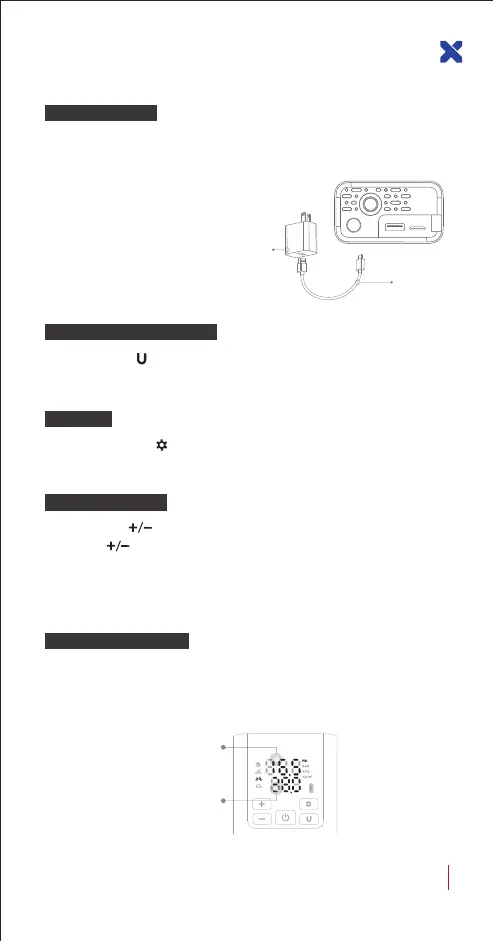
USB-C charging input 5V/2A, please use a charging cable and connect it
with the power adapter to charge the air pump.
Battery indicator when charging:
FLashe green light: Charging
Keep green light on: Fully charged
Note: The air pump cannot be used during
charging.
Charging Method
Short press the icon, the air pressure display unit can be switched.
Unit conversion formula: 1BAR = 14.5PSI
Air Pressure Unit Switching
LED Light
Press and hold the button until the LED light turn on, and long
press it again to turn off.
Measured air pressure 16.5
Preset air pressure 38.0
With air pump in standby status, after the trachea is connected to the air
pressure detection object, the upper half of the air pump display screen
is the present measured air pressure value.
Check The Air Pressure
Preset Air Pressure
Short press the button: Adjust the preset air pressure value 0.5PSI per press.
Long press button: You can quickly adjust the preset air pressure value.
Note: The deivce will automatically save the scene mode and the preset air
pressure value. The next time you use it, you only need to switch the scene, and
the preset air pressure value will be automatically set.
LX-SMART PUMP P5 USER GUIDE
Included
Not Included


 To Next Page