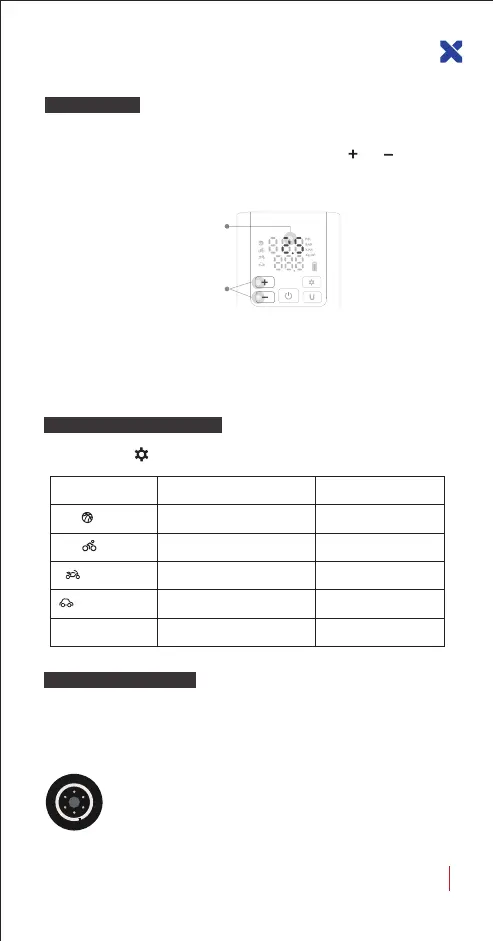
Short press the button to select 5 inflatable scene modes, they are:
Preset Default value
Scene Mode Adjustable Range
8PSI
2-15PSI
38PSI
2-150PSI
2.7BAR 0.1-3.7BAR
2.4BAR 0.1-4.4BAR
100PSICustomize 2-150PSI
Balls
Motorcycle
Bike
Motor Vehicle
Application Scene Switching
Pressure Reset
After power on, the trachea is not connected to the inflatable object.
When the measured pressure value is not 0.0, press the and button
at the same time for 2 seconds, and it will return to normal after all lights
of the display screen are on.
Note: The default air pressure value of this product has been reset into zero.
Due to the difference in altitude or sensor, when the measured air pressure
value is not zero, manual reset can improve the air pressure accuracy.
Calibration is not recommended at high temperatures.
The measured air
pressure value is not 0.0
Press and hold
for 2 seconds to reset
Verify Inflating Pressure
To ensure safety, please check the inflation pressure required by the
inflated item according to their instruction manual before inflating, to
avoid personal injury from explosion caused by excessive inflation.
Car Tires
The pressure range of the car's tires is marked on one side of the
tire. The inflation pressure will be related to the load weight, for
more detailed air pressure recommendations, please refer to the
manual of the relevant vehicle.
05
LX-SMART PUMP P5 USER GUIDE


 To Next Page