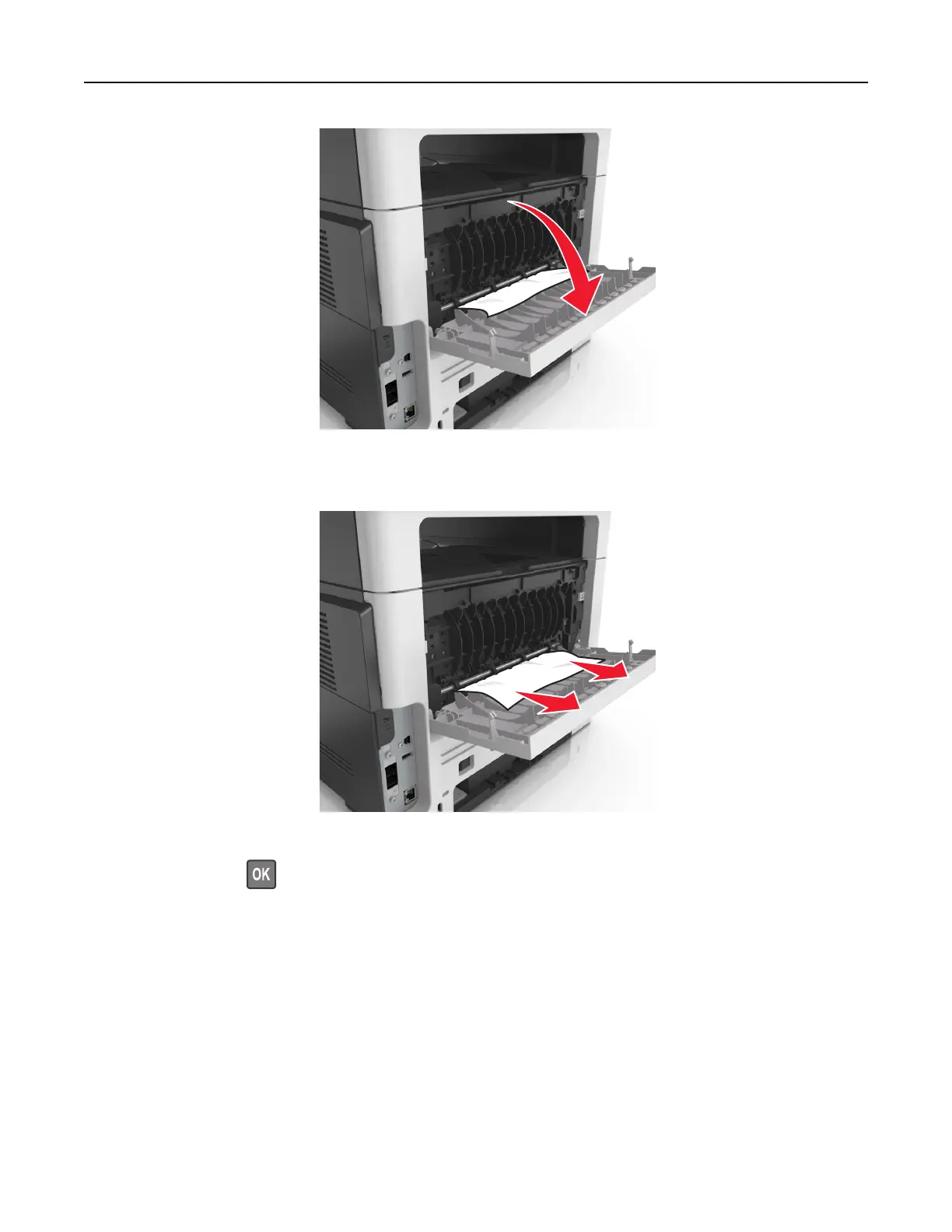
2 Remove the jammed paper.
Note: Make sure that all paper fragments are removed.
3 Close the rear door.
4 If necessary, press on the control panel.
Paper jam in the standard bin
1 Remove the jammed paper.
Note: Make sure that all paper fragments are removed.
Clearing jams 226



 To Next Page