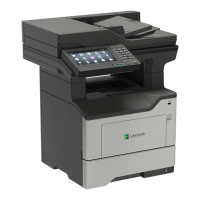
status of parts
checking 148
status of supplies
checking 148
storing print jobs 36
supplies
conserving 166
supplies, ordering
maintenance kit 150
staple cartridges 151
supply notifications
configuring 151
supply usage counters
resetting 187
supported file types 35
supported flash drives 35
supported operating
systems 241
supported paper sizes 30
supported paper types 32
supported paper weights 32
T
toner cartridge
ordering 148
replacing 152
toner cartridges
recycling 166
toner darkness
adjusting 217
trays
installing 240
loading 26
troubleshooting
cannot open Embedded Web
Server 182
printer is not responding 217
troubleshooting, copy
partial copies of documents or
photos 223
poor copy quality 223
scanner does not respond 225
scanner unit does not
close 225
troubleshooting, fax
cannot receive faxes 221
cannot send faxes 221
cannot send or receive
faxes 219
received fax has poor print
quality 222
troubleshooting, print
collated printing does not
work 188
confidential and other held
documents do not print 214
envelope seals when
printing 187
incorrect margins 198
jammed pages are not
reprinted 190
job prints from the wrong
tray 218
job prints on the wrong
paper 218
paper frequently jams 189
print jobs do not print 216
slow printing 215
tray linking does not work 189
troubleshooting, print quality
blank or white pages 190
crooked or skewed print 203
dark print 192
fine lines are not printed
correctly 193
folded or wrinkled paper 194
gray background on prints 195
horizontal light bands 197
light print 199
mottled print and dots 201
paper curl 202
repeating defects 204
solid black pages 205
text or images cut o 206
toner easily rubs o 208
vertical dark bands 208
vertical dark lines or
streaks 210
vertical dark streaks with print
missing 211
vertical light bands 212
vertical white lines 213
troubleshooting, printer options
cannot detect internal
option 184
internal solutions port 185
troubleshooting, scan
cannot scan from a
computer 222
partial copies of documents or
photos 223
poor copy quality 223
scan job was not
successful 224
scanner does not respond 225
scanner unit does not
close 225
vertical dark streaks on output
when scanning from the
ADF 223
two‑sided copying 39
U
unable to read flash drive
troubleshooting, print 183
Unformatted
flash
detected 186
Universal paper size
setting 26
unlinking trays 29
updating firmware
flash file 243
USB port 14
enabling 183
using
genuine Lexmark parts 148
genuine Lexmark supplies 148
using Customer Support 19
using Display Customization 19
using QR Code Generator 20
using the ADF
copying 39
using the control panel 15
using the home screen 17
using the scanner glass
copying 39
V
verify print jobs 36
printing from a Macintosh
computer 36
printing from Windows 36
vertical dark lines on prints 210
vertical dark streaks on output
when scanning from the
ADF 223
vertical streaks on prints 210
viewing a fax log 51
virtual keyboard
using 25
Voice Guidance
activating 24
speech rate 25
Index 264



 To Next Page