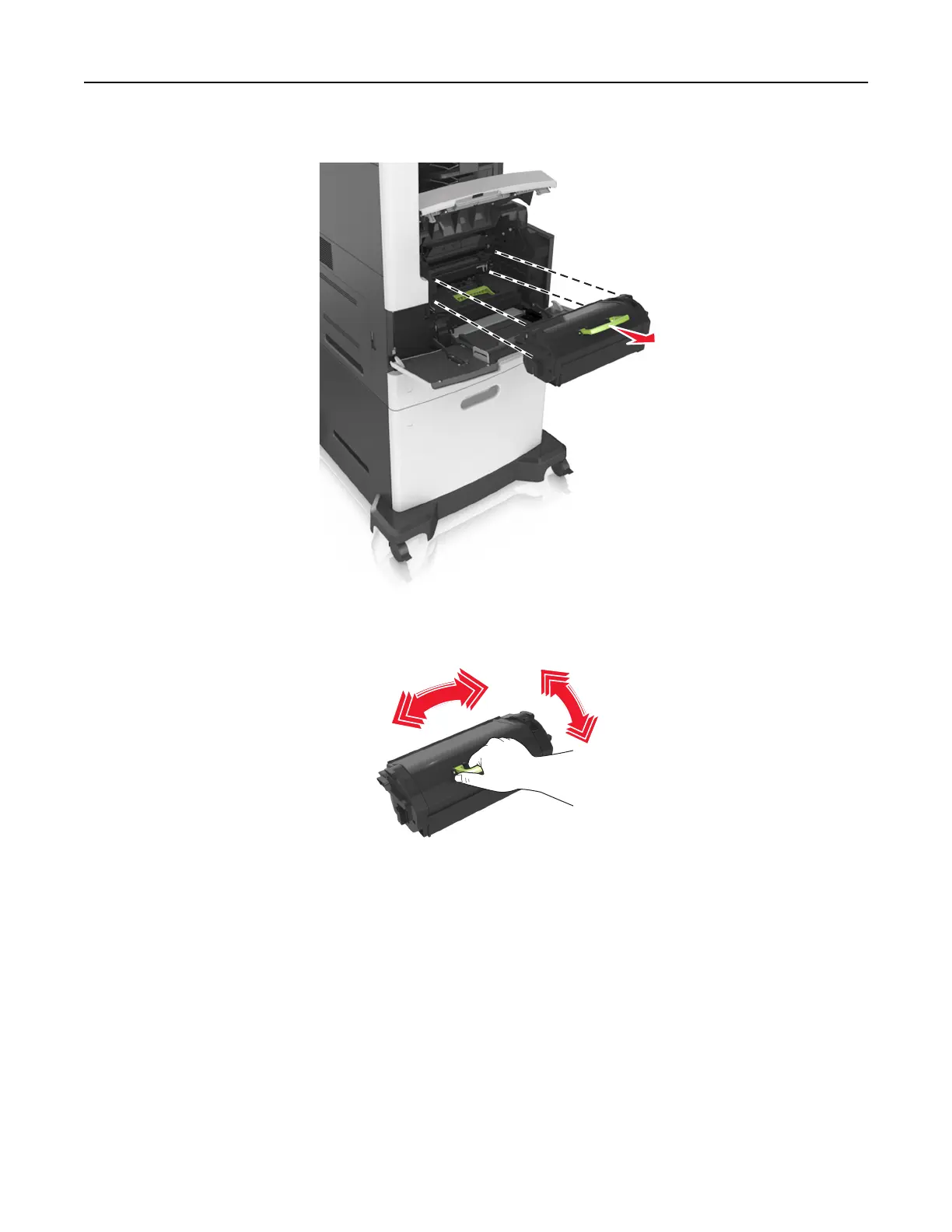
2 Pull the cartridge out of the printer using the handle.
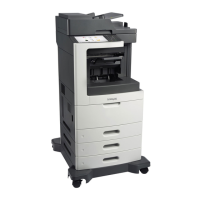
3 Unpack the new toner cartridge, then remove the packing material, and then shake the cartridge to
redistribute the toner.
4 Insert the toner cartridge into the printer by aligning the side rails of the cartridge with the arrows on the
side rails inside the printer.
Note: Make sure the cartridge is fully pushed in.
Maintaining the printer 255



 To Next Page