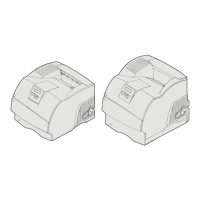
Supported print media
62
Understanding paper and specialty media guidelines
9 Envelope 98.4 x 225.4 mm
(3.875 x 8.87 in.)
✓✓✓✓✓
10 Envelope 104.8 x 241.3 mm
(4.12 x 9.5 in.)
✓✓✓✓✓
DL Envelope 110 x 220 mm
(4.33 x 8.66 in.)
✓✓✓✓✓
B5 Envelope 176 x 250 mm
(6.93 x 9.84 in.)
✓✓✓✓✓
C5 Envelope 162 x 229 mm
(6.38 x 9.01 in.)
✓✓✓✓✓
Other Envelope
1
98.4 x 162 mm
to 176 x 250 mm
(3.87 x 6.38 in. to
6.93 x 9.84 in.)
✓✓✓✓✓
98.4 x 162 mm
to 229 x 342 mm
(3.87 x 6.38 in. to
9.01x 12.76 in.)
✓✓✓✓✓
Print media sizes (continued)
Legend ✓ — indicates support
T640 250-sheet tray
T642, T644 500-sheet tray
250-sheet drawer (option)
500-sheet drawer (option)
Multipurpose feeder
2000-sheet drawer (option)
Envelope feeder (option)
Duplex unit (option)
Standard output bin
Output expander (option)
5-bin mailbox (option)
High-capacity
output stacker (option)
Print media size Dimensions
1
This size does not appear in the Paper Size menu until Tray Size Sensing is turned off. See “Printing folio and statement
sizes” for more information.
2
This size setting formats the page for 215.9 x 355.6 mm (8.5 x 14 in.) unless the size is specified by the software
application.



 To Next Page