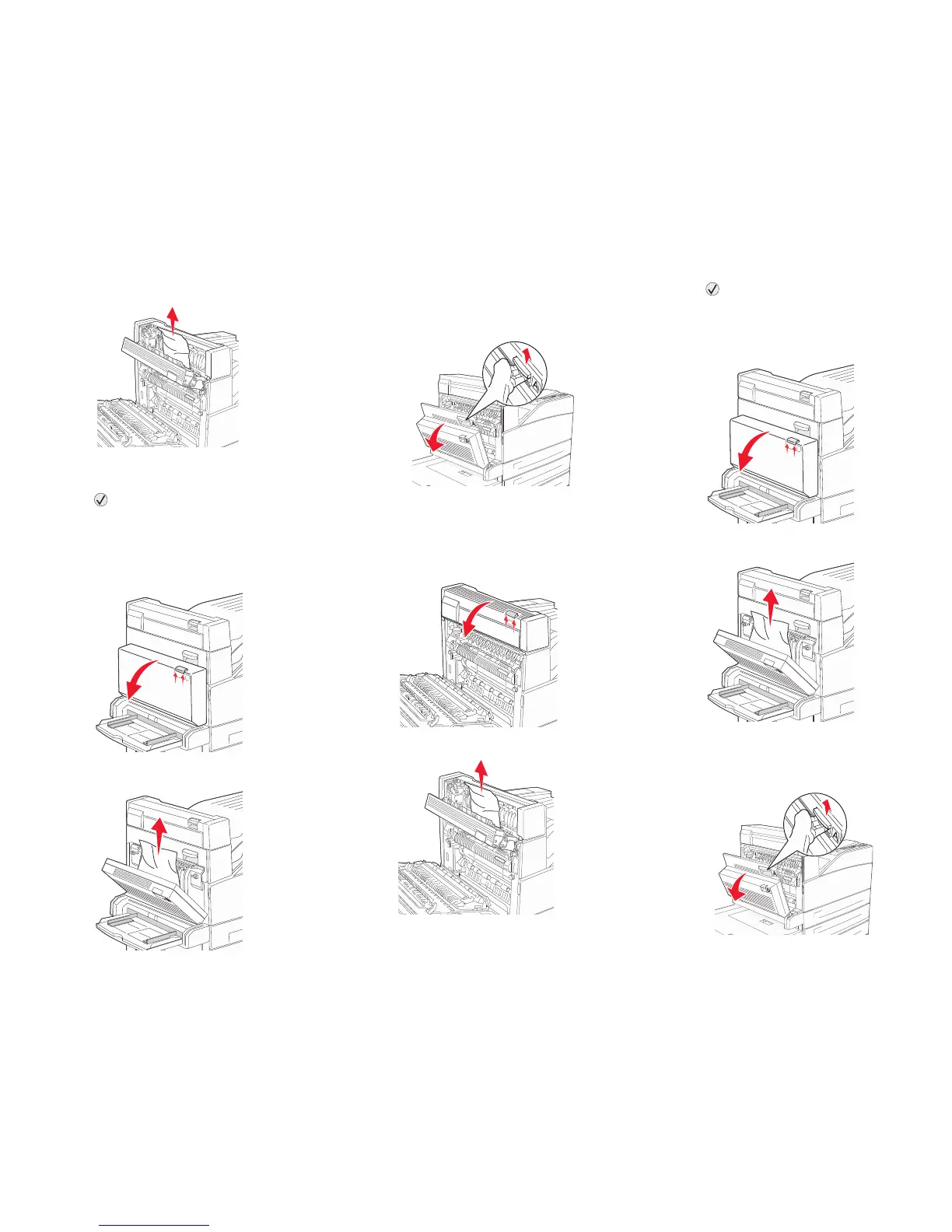
3 Pull the print media up.
4 Close Door E.
5 Close Door A.
6 Press .
230 Paper Jam Check Door <A, E,
D>
1 Open Door D by the duplex rear door.
2 Remove the jammed media.
3 Close Door D.
4 Open Door A by pushing the release latch and
lowering the door.
CAUTION: The inside of the printer might be
hot.
5 Open Door E by pushing the release latch and
lowering the door.
6 Pull the print media up.
7 Close Door E.
8 Close Door A.
9 Press .
231 Paper Jam Check <A, D>
1 Open Door D by the duplex rear door.
2 Remove the jammed media.
3 Close Door D.
4 Open Door A by pushing the release latch and
lowering the door.










 To Next Page